The size question is the reason the order does not happen
Clothing, shoes, rings, gloves, bike frames, pet harnesses — whenever sizing is not obvious, the customer either guesses or leaves. A size chart answers the question at the exact moment it is asked: on the product page, next to the buy button, in one click, without a new tab and without losing the cart.
How it works
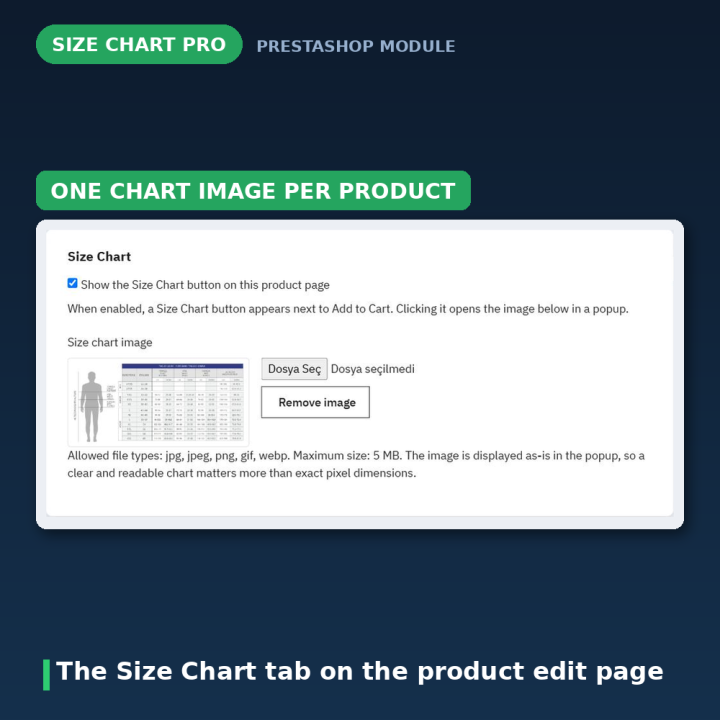
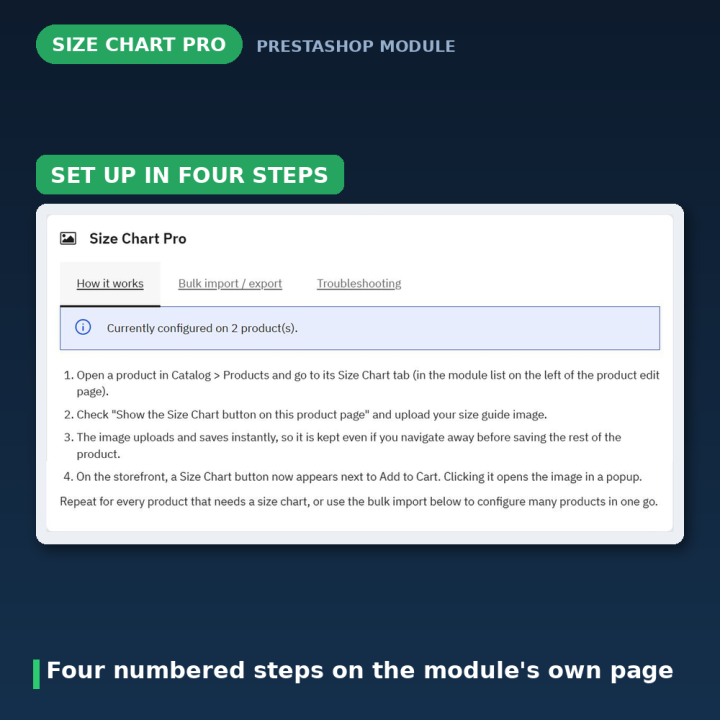
- 1. Open the product's Size Chart tab — it sits with the other module tabs on the product edit page in Catalog → Products.
- 2. Tick the box and choose an image — jpg, jpeg, png, gif or webp up to 5 MB. The upload saves immediately, so the chart sticks even before you save the product form.
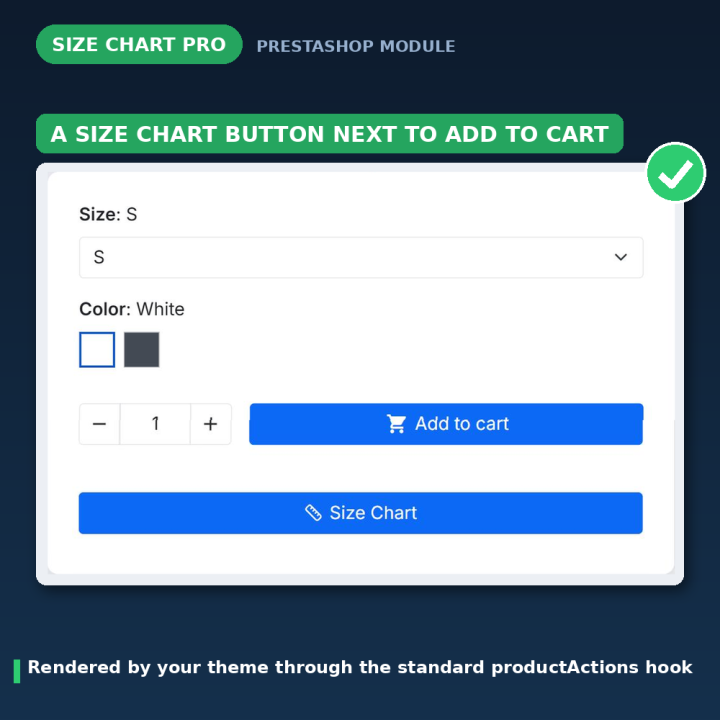
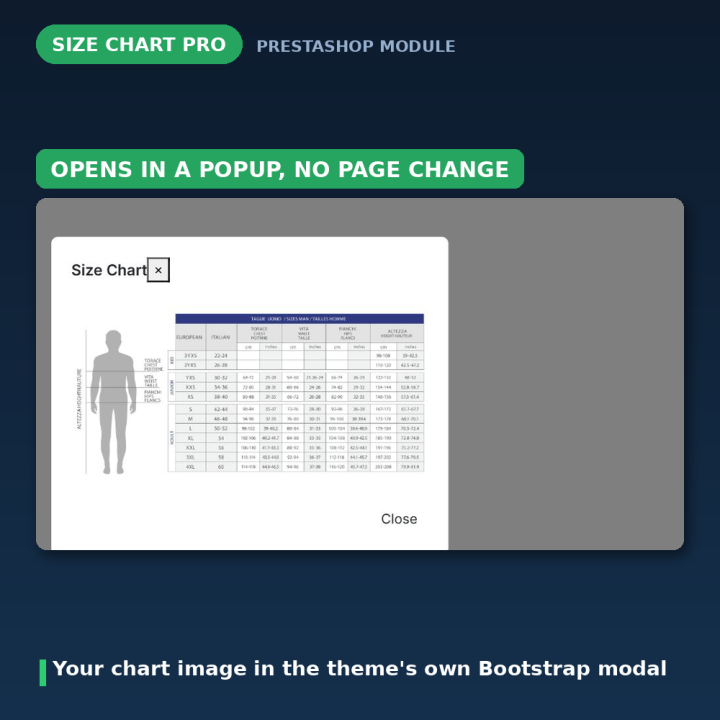
- 3. That is it — a Size Chart button with a ruler icon appears next to Add to Cart, and clicking it opens your chart in a popup.
A button that looks like it belongs
The button renders through PrestaShop's standard productActions hook, so it lands where your theme puts the product actions and inherits your theme's styling. The ruler icon is an inline SVG drawn with currentColor and sized in em, so it takes the button's own colour and text size on any theme. The popup is a plain Bootstrap modal — your theme's Bootstrap, matched to its version — which means no Fancybox, no Slimbox, no extra JavaScript library shipped with the module.
One chart per product, or a whole catalogue at once
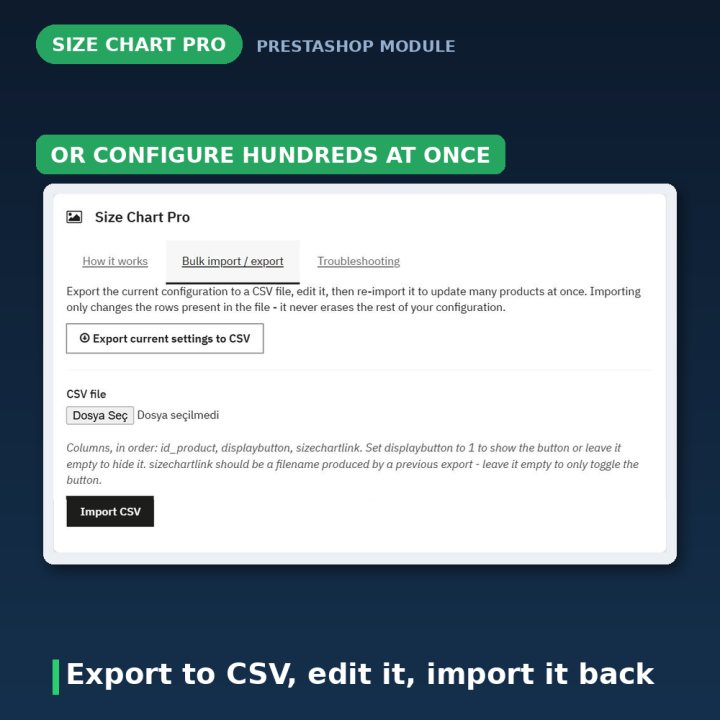
Each product carries its own chart image and its own on/off switch, which is what you want when a dress, a ring and a pair of boots need three different tables. When you are configuring hundreds of products, use Bulk import / export on the module's configuration page: export every configured product as id_product,displaybutton,sizechartlink, edit the file, and import it back. Import only touches the rows in your file — the rest of your configuration is left alone — and rows pointing at a product that does not exist are skipped and reported back to you.
It checks and repairs itself
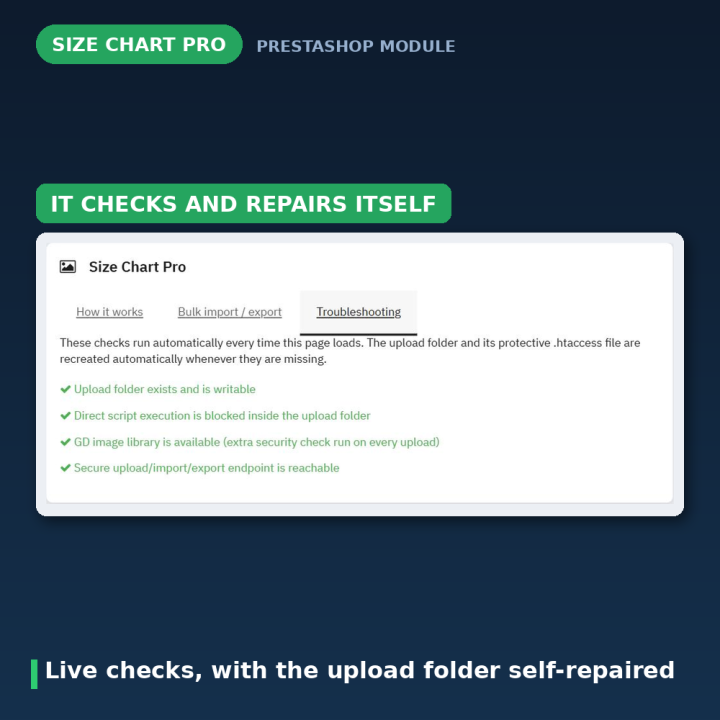
The Troubleshooting tab runs live checks every time you open it: is the upload folder writable, is it protected, is the GD extension available, is the upload endpoint reachable. If the upload folder or its protective .htaccess has gone missing, the module recreates both automatically instead of handing you a list of shell commands.
Rebuilt for security in 2.0
Version 1.x shipped three unauthenticated standalone scripts — upload.php, import.php and export.php. Version 2.0 replaced all three with a single token-authenticated front controller reached through PrestaShop's normal index.php dispatch, which also sidesteps the hosting rules (Hostinger's hPanel among them) that block direct requests to raw .php files inside a module folder. Uploaded images are now validated server-side by extension, MIME type and size, and re-encoded with GD when it is available, so a non-image file renamed to .png cannot get through. The back-office CSV panel no longer leaks onto the public product page, and chart images are stored by filename and rebuilt against the shop's current domain — so moving the shop to a new domain or switching to HTTPS no longer breaks every chart.
Compatibility
PrestaShop 1.7, 8 and 9. PHP's GD extension is recommended but not required — without it uploads still work, they simply skip the re-encoding step, and the Troubleshooting tab tells you so. The module's technical name is unchanged from 1.x, so moving up from an older version is a normal update, not a reinstall, and existing rows are migrated for you.
Frequently asked questions
Can each product have a different chart?
Yes. The image and the on/off switch are per product, so a dress, a ring and a pair of boots can each show their own table.
Which image formats can I upload?
jpg, jpeg, png, gif and webp, up to 5 MB. The file's actual content is checked server-side, so renaming an unsupported file will not get it through.
Do I have to save the product for the image to stick?
No — the image uploads and saves on its own. You only need to save the product form to persist the checkbox that shows the button.
How do I set up hundreds of products?
Export your current settings to CSV from the module's configuration page, edit the file in a spreadsheet, and import it back. Only the rows in your file are touched.
Will the button match my theme?
It renders through the standard productActions hook and uses your theme's own Bootstrap modal, so it takes your theme's button styling; the ruler icon inherits the button's colour and text size.
What happens if I move my shop to a new domain?
Nothing breaks. Charts are stored by filename and the URL is rebuilt for whatever domain the shop is on — and upgrading from a pre-2.0 version migrates the old absolute URLs for you.
Do I need GD installed?
Not strictly. With GD, every upload is re-encoded as an extra safety check; without it, uploads still work and the Troubleshooting tab flags that the step was skipped.










Comments (1)
Your review appreciation cannot be sent
Report comment
Report sent
Your report cannot be sent