Your database quietly grows — and slows you down
Every deleted product, cancelled order, abandoned cart and uninstalled module leaves rows behind. Over the years these orphan records bloat your PrestaShop database, slow down queries, and make backups heavier. Database Cleaner finds and removes them safely — with a preview before every action and an automatic backup behind it.
A store health score you can act on
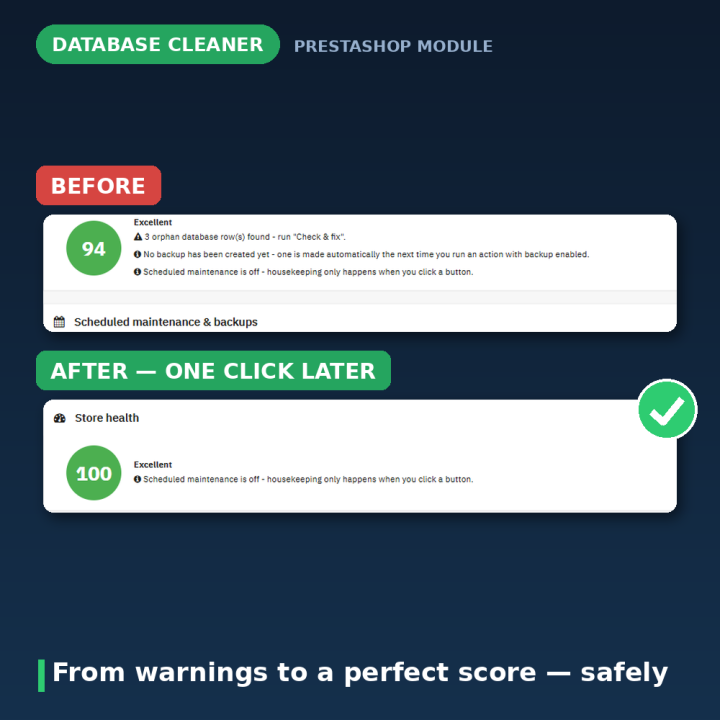
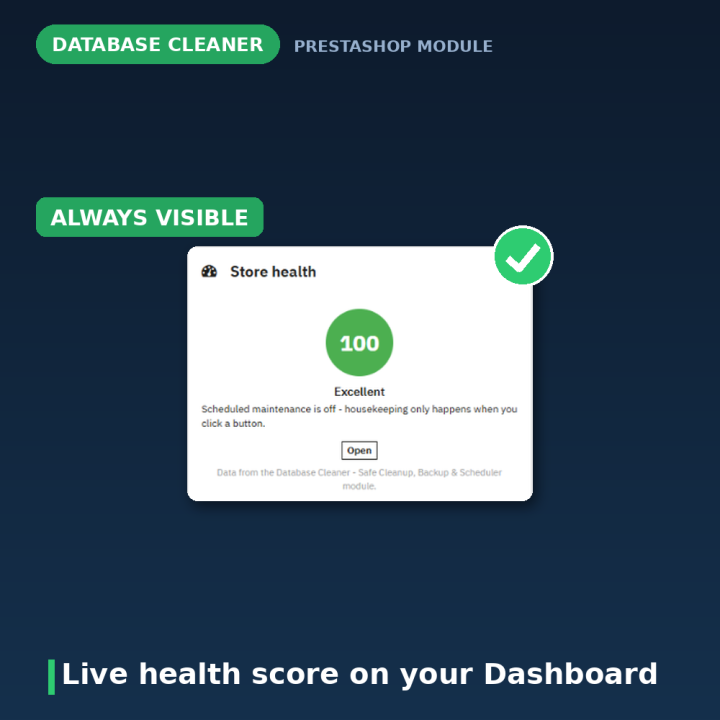
A live, computed score on the configure page — and as a badge on your PrestaShop Dashboard — tells you how healthy your database is right now, with the specific reasons behind the number and a link to the panel that fixes each one. Not a static claim: it's recalculated from ~100 real table checks.
Clean up safely, in one click
- Check & fix — removes rows pointing at already-deleted products, orders, languages or shops across ~100 known table relationships, plus duplicate configuration entries and orphan translations. Always safe to run.
- Clean & optimize — clears abandoned carts (older than a month, never ordered), expired or exhausted cart rules, and re-numbers admin menu positions. Always safe to run.
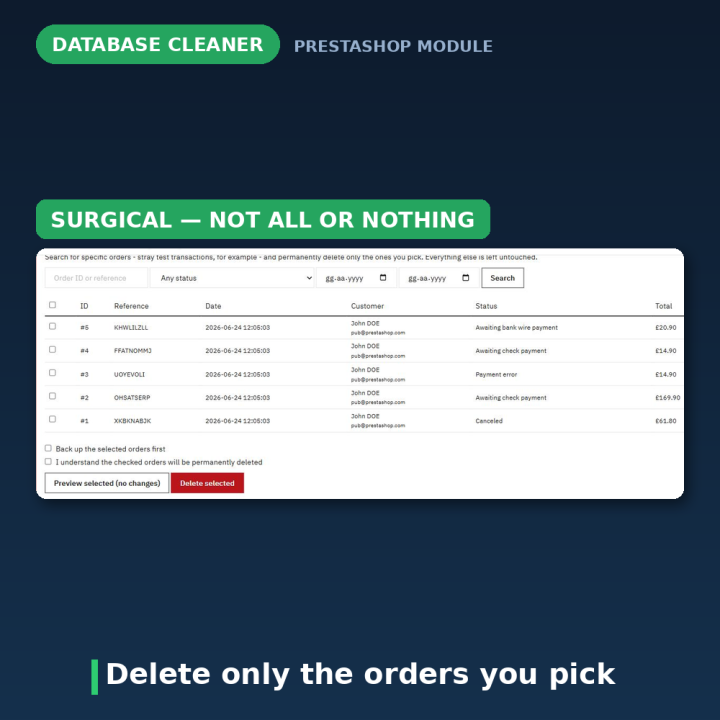
- Delete selected orders — search by ID, reference, status or date range and delete only the orders you tick (perfect for clearing test orders). Every related row — invoices, payments, history, returns, credit slips — is removed in the correct order; everything else stays untouched.
- Reset catalog / Reset orders & customers — start completely fresh. The only irreversible actions in the module, protected by a typed confirmation phrase checked server-side — never just a checkbox.
Preview first. Back up automatically.
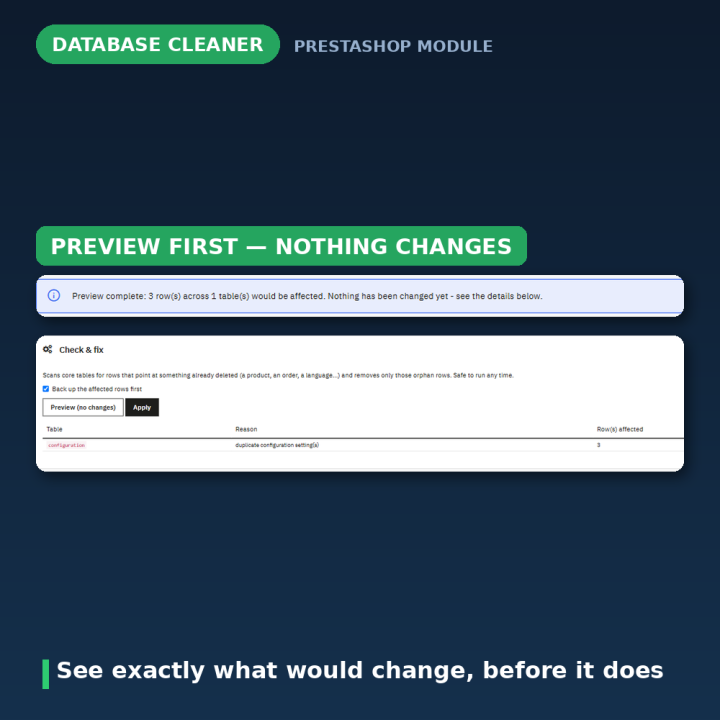
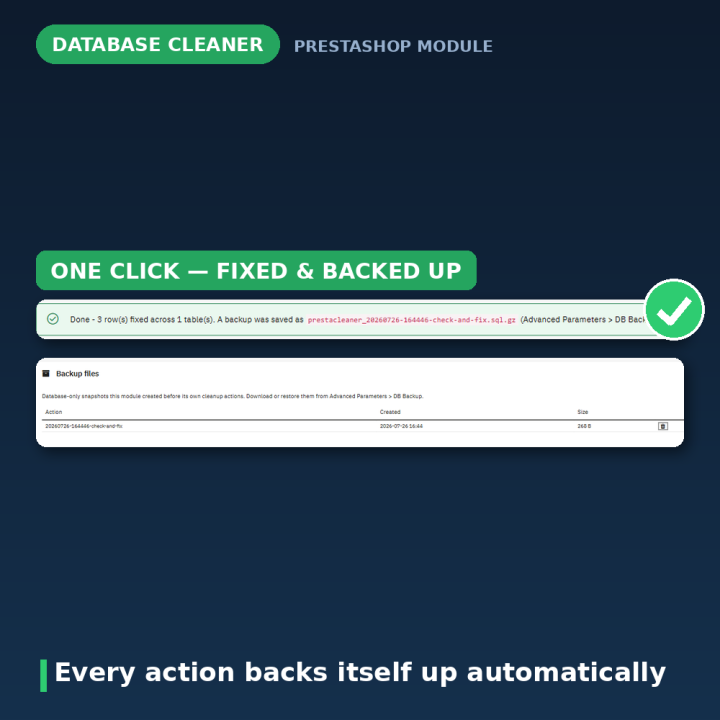
Every action has a dry-run preview that reports exactly what would change, using the very same logic as the real run — so the report can never drift from reality. And before any action runs, the module can back up exactly the rows about to be touched into PrestaShop's own DB Backup folder, where you can restore with the standard core tool. No separate restore engine to trust.
Set it and forget it
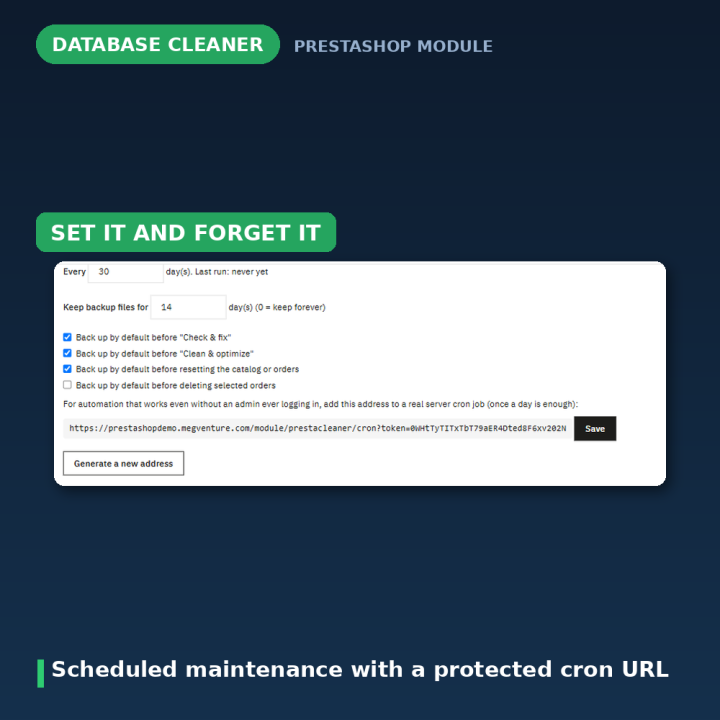
Run "Check & fix" and "Clean & optimize" automatically: from a real server cron hitting a token-protected URL, or — with no server access at all — as a background fallback the next time an admin opens the back office, after the page has already been delivered. The destructive resets are never schedulable, by design.
Compatibility
PrestaShop 1.7, 8 and 9 (tested up to 9.1). Multistore-aware: cleanup applies to the whole installation, as there is only one database. No storefront footprint — nothing changes for your visitors.
Frequently asked questions
Is it safe to run on a live store?
Yes. "Check & fix" and "Clean & optimize" only remove rows that point at data which no longer exists. Use the dry-run preview to see the exact report first, and enable "back up first" for a safety net.
What exactly gets backed up, and how do I restore?
The module backs up precisely the rows about to be touched (a full snapshot before a reset) as gzipped SQL into the same folder PrestaShop's Advanced Parameters → DB Backup page reads — restore from there with the core tool you already know.
Can it run automatically?
Yes — a token-protected cron URL for real server crons, or an interval-based fallback that triggers on admin logins. Only the two safe actions; resets can never be scheduled or reached by cron.
Will it slow down my back office?
No. The health score is cached for up to an hour on the Dashboard, scheduled fallback runs execute after the page has been sent, and the configure page computes live only when you open it.
Does it work with PrestaShop 9?
Yes — built and tested for 1.7 through 9, including PS9-specific changes like the removed price-display helpers.
Does it touch my images or uploaded files?
Backups are database-only, and cleanup targets database rows. Only the catalog reset removes product images — and it warns you, requires a typed phrase, and offers a snapshot first.







Comments (0)
Your review appreciation cannot be sent
Report comment
Report sent
Your report cannot be sent