




Product Video Showcase - YouTube, Vimeo and Dailymotion Slider with Lightbox, Homepage or Side Column, No jQuery images
Product Video Showcase - YouTube, Vimeo and Dailymotion Slider with Lightbox, Homepage or Side Column, No jQuery
Price:
€49.99
No tax
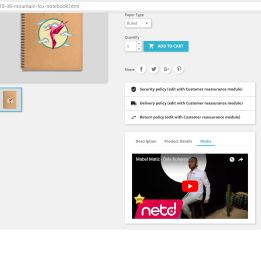
Show the videos attached to your products in a responsive slider that uses each product's own photo as the thumbnail and links to its page. Paste a YouTube, Vimeo or Dailymotion link and the module recognises it as you type — no API key, no developer account. Videos open in a built-in lightbox (YouTube via the privacy-enhanced no-cookie player), closable with Escape. Place it on the homepage, a side column, or anywhere with a widget tag. No jQuery, no external libraries. For PrestaShop 1.7 to 9.
Your product videos, working as a sales tool
A video sitting on a product page is only seen by people already on that page. This module puts your product videos where visitors actually start: the homepage, or a side column on every page.
Each slide uses the product's own cover image as its thumbnail and links straight to that product. Demos, unboxings and how-to videos stop being buried and start pulling people into product pages.
Three providers, no API key
Paste a link and the module works out the rest. It recognises YouTube, Vimeo and Dailymotion, and as you type a badge appears naming the provider and echoing back the video ID it extracted — so you can see it parsed the right video before you save.
YouTube is matched in every common shape: watch?v=…, youtu.be/…, Shorts, live, embed and /v/ links. Vimeo works with plain links and with unlisted videos' privacy hash (vimeo.com/123456789/abcdef1234) — paste the full link and the hash is preserved. Dailymotion accepts its standard video URLs.
There is no API key to obtain and no developer account to register for any of them.
A lightbox that does not send visitors away
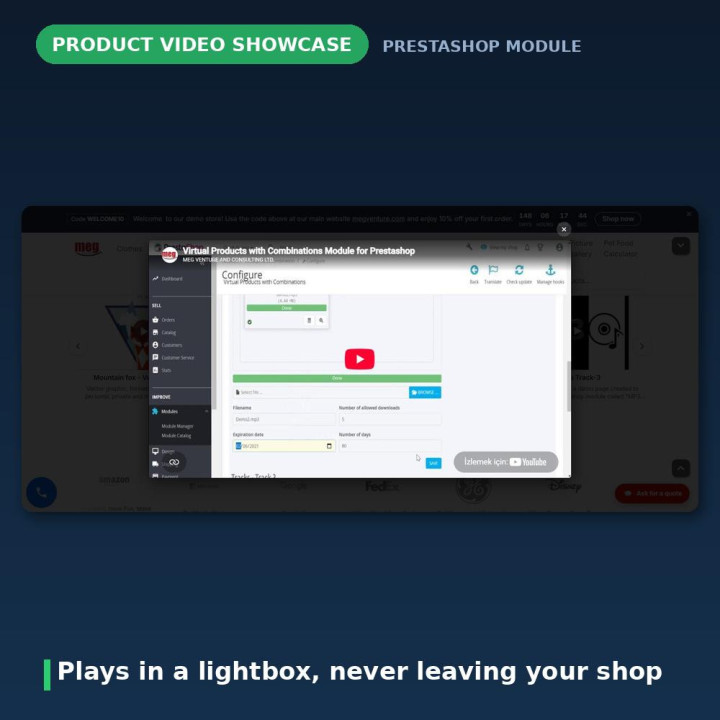
Clicking a slide opens the video in a distraction-free overlay on your own site, so nobody is handed off to YouTube mid-visit. It closes on a click or the Escape key, and is marked up as a proper dialog for assistive technology. Closing it blanks the player rather than just hiding it, so audio actually stops instead of playing on in the background.
YouTube videos play through the privacy-enhanced youtube-nocookie.com player.
Homepage, side column, or anywhere in your theme
The slider shows on the homepage by default. To put it in a column, go to Design → Positions, find Product Video Showcase, and transplant it onto displayLeftColumn or displayRightColumn. Theme developers can also drop it anywhere with {widget name='productvideoslider'}.
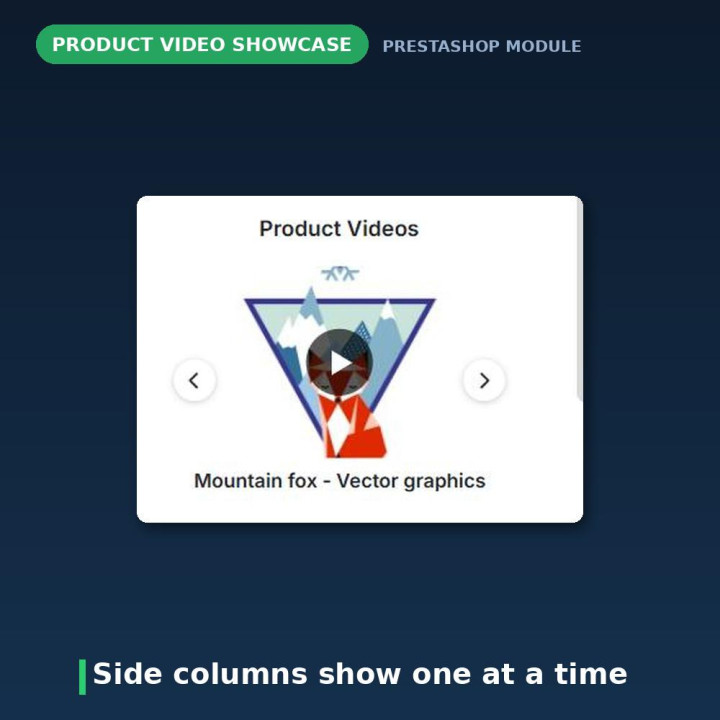
Side columns automatically show one video at a time, regardless of your per-row setting — a narrow column cannot usefully hold four.
Responsive because of real logic, not wishful thinking
You choose 1 to 6 videos per row on desktop. The module then reduces that automatically in JavaScript, measuring the actual viewport: at most 2 below 576 px, 3 below 768 px, 4 below 992 px, and your chosen number above that. Your setting is a maximum, not a fixed count.
Sliding works by native touch swiping on phones and tablets. Arrows, dots, autoplay, autoplay speed and pause on hover are each optional and configurable, and the slider is capped to your theme's content width rather than running edge to edge.
Ordering, visibility and a list that tells you the truth
The Your product videos list reorders with up/down arrows and lets you hide any video with one click without deleting it. Each row shows its product, provider and status.
If a video's product is later deleted, the list says so plainly with a "Product deleted" warning rather than leaving you guessing — and you can repoint that row at another product or remove it.
Nothing broken ever reaches your storefront
A slide renders only when the video is active and its product is active in the current shop. That is enforced in the query itself, joining on the product's shop-level status, so a disabled or out-of-shop product simply drops out. Deleting a product automatically removes its videos.
Version 2 closed an unauthenticated write endpoint
This is worth stating plainly, because it is the real reason to upgrade.
Version 1.x shipped a standalone ajax.php whose authentication check passed whenever a product ID was posted. Any anonymous visitor could POST a product ID and arbitrary text and have it written straight into the core product table. The same file concatenated a request value directly into SQL and ran error_reporting(0), hiding every failure it caused.
Worse, the stored value was printed straight into an href, so a link using a hostile scripted pseudo-protocol would run on click.
That file is gone. Links are now validated and only recognised YouTube, Vimeo and Dailymotion URLs are stored, every admin action runs behind the standard employee token, and output is escaped in the templates.
It no longer modifies PrestaShop's own product table
Version 1.x ran ALTER TABLE ps_product ADD product_video_field_1 on install and never dropped it — uninstalling left a permanent column behind in your core product table.
Version 2 keeps its data in its own table. The upgrade migrates every existing video out of the core column, detects each one's provider, then drops the column. Uninstalling drops it too, if it somehow survived. Any migrated link that could not be recognised is hidden rather than shown broken, so you can fix and re-enable it from the list.
The front end lost every dependency
Version 1.x loaded jQuery 1.4.4, Fancybox and the mousewheel plugin on every page of the shop, clashing with whatever jQuery your theme already had. All of it is gone. The front end is dependency-free vanilla JavaScript and CSS — one small file each.
The module registers those two files only on pages where it actually has something to show. Worth knowing: if you run PrestaShop's Combine, Compress and Cache option, the platform merges every module's assets into shared bundles, so this module's code will travel inside that bundle like everyone else's — that is PrestaShop's behaviour, not something a module can opt out of.
Two other things version 1.x got wrong are fixed: the left and right column display it advertised was never actually registered, so it did nothing at all; and its homepage logic took the first N home-category products and then looked for videos, so a shop whose first products had no video saw an empty slider.
Compatibility
PrestaShop 1.7 through 9, in eight languages: Dutch, English, French, German, Italian, Polish, Spanish and Turkish.
No overrides, no core or theme modification, no jQuery. Uninstalling removes the module's table and its settings, and drops the legacy core column — leaving your database as it was before installation.
Frequently asked questions
Do I need a YouTube, Vimeo or Dailymotion API key?
No. You paste an ordinary video link and the module recognises the provider itself. There is no key to obtain and no developer account to register for any of the three.
Where can the slider appear?
On the homepage by default, in the left or right column by transplanting it under Design → Positions, or anywhere in your theme with {widget name='productvideoslider'}.
Why does my side column show only one video at a time?
That is deliberate. Side columns are narrow, so the slider always shows one video there regardless of the per-row setting.
I set six videos per row but see fewer.
The per-row number is a maximum for desktop. The module measures the real viewport in JavaScript and shows at most 2 below 576 px, 3 below 768 px and 4 below 992 px.
My Vimeo video will not play in the lightbox.
If it is unlisted it needs its privacy hash in the link, like vimeo.com/123456789/abcdef1234 — paste the full URL from the Share button. A video whose owner disabled embedding cannot be played on any site.
A link is not accepted.
Paste the full URL from the address bar or the Share button. The badge under the field tells you immediately whether the link is recognised, so you never have to save and hope.
One of my videos shows a "Product deleted" warning.
The product that video pointed at was removed. Edit the row to pick another product, or delete the row.
The slider does not appear at all.
It renders only when at least one video is active and its product is active in the current shop. Check the Status column in the list, and check the product's own status.
What happens to the column version 1 added to my product table?
The upgrade migrates your videos out of it and then drops it. Uninstalling drops it too. Your database ends up as it was before the module was ever installed.
-
Brand

-
Reference6892
-
EAN138691246268921
-
CompatibilityPrestashop 1.4
Prestashop 1.5
Prestashop 1.6
Prestashop 1.7
Prestashop 8
Prestashop 9 -
Available Module TranslationsDutch
English
French
German
Italian
Polish
Spanish
Turkish
Compatibility
PS1.7
PS8
PS9
Translations
 Dutch
Dutch
 English
 French
 German
 Italian
 Polish
 Spanish
 Turkish
Developer
 MEG Venture
4 other products in the same category
Virtual Products Management Pro - Downloadable Files per Combination with Versions and GitHub Sync
€49.99
Rated out of 5 stars based on
review(s)

YouTube Video Showcase - Responsive Slider, Lightbox Player and Automatic Thumbnails
€49.99
Rated out of 5 stars based on
review(s)

Gift Card Promotions - Free Gift Offers, Automatic Vouchers and NEW or SALE Product Badges
€49.99
Rated out of 5 stars based on
review(s)
| Version | 2.0.2 |
|---|---|
| Last updated | 2026-07-30 |
| Changelog | - [2026-07-30] Backfill missing translation keys for product video slider module in multiple languages - [2026-07-25] Fix latent mobile overflow: slider shrank to content width in CSS Grid hook zones - [2026-07-24] Add Polish and Turkish translations for product video slider module - [2026-07-23] Translate product video slider module strings to Turkish for better localization and user experience. - [2026-07-23] Populate translation files with complete translatable strings - [2026-07-23] Populate translation files with complete translatable strings - [2026-07-23] Populate translation files with complete translatable strings - [2026-07-23] Populate translation files with complete translatable strings - [2026-07-23] Populate translation files with complete translatable strings - [2026-07-23] Populate translation files with complete translatable strings - [2026-07-23] Populate translation files with complete translatable strings - [2026-07-23] Box the slider to content width; fix full-width + h-scroll on Hummingbird (2.0.1) - [2026-07-22] fix: Update display name for Product Video Showcase module - [2026-07-18] feat: Add product video slider module with responsive design and lightbox functionality - [2026-07-18] Remove Product Video Slider Module files and associated JavaScript functionality - [2026-06-23] Initial commit |
↻ Version history (2)
• [2026-06-23] Initial commit
Comments (1)
Your review appreciation cannot be sent
Report comment
Report sent
Your report cannot be sent