One grid, and your private pages are private
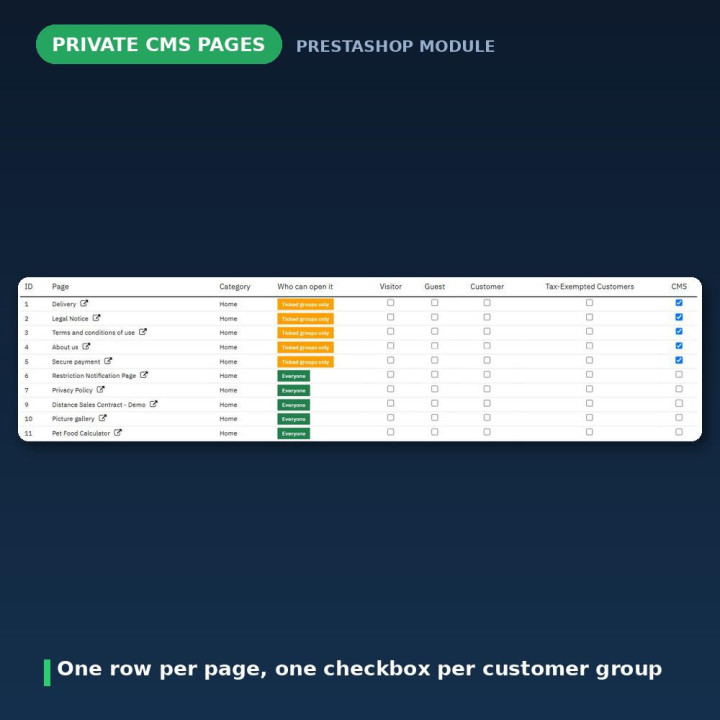
Every CMS page in your shop appears as a row. Every customer group appears as a column of checkboxes. Tick who is allowed in, press Save access rules, and you are finished. There is no second screen, no per-page settings tab to hunt through, and nothing to keep in sync.
The list is searchable, each row carries a live Everyone or Ticked groups only badge so you can see the state at a glance, and every page has a preview link.
Public until you say otherwise
This is the part that matters when you are adding pages months from now. A page with no group ticked is public. New CMS pages you create later are public automatically — they do not need to be registered with the module, and they will not silently disappear from your shop because you forgot a step. Delete a page and its rule simply goes unused. There is no synchronisation table, and nothing ever needs rebuilding.
Redirect visitors somewhere useful, not somewhere confusing
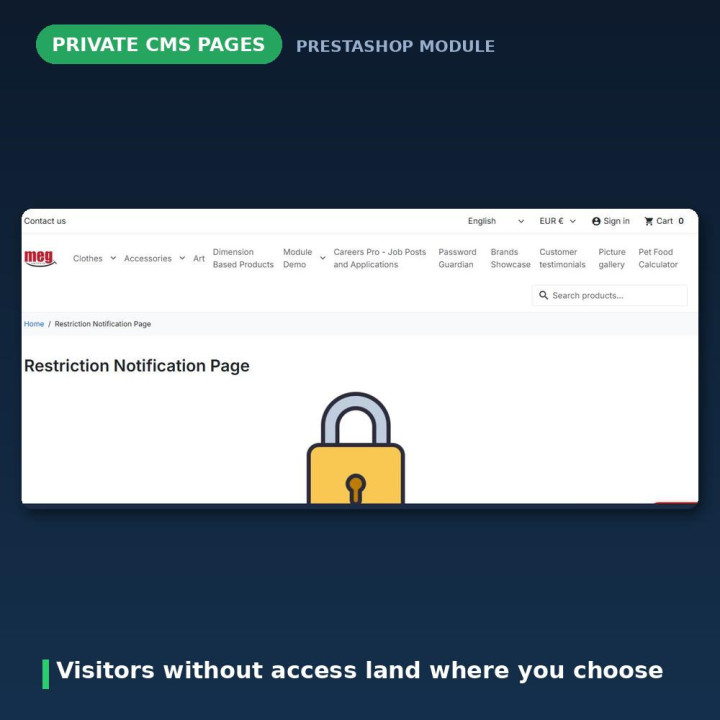
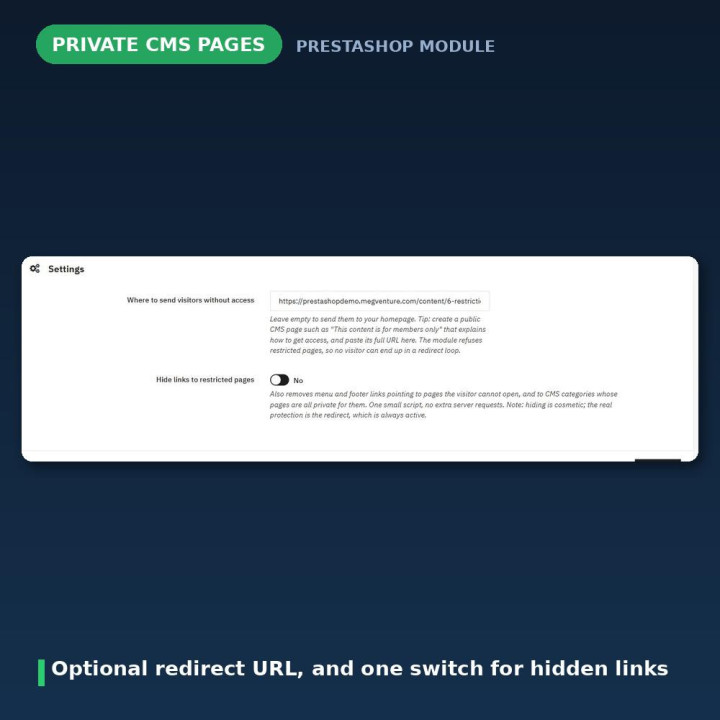
Pick the URL that people without access should land on, and paste it in. Leave the field empty and they go to your homepage instead. The sensible move is to make a short public page — "This content is for members only" — that explains how to get access, and point the redirect there.
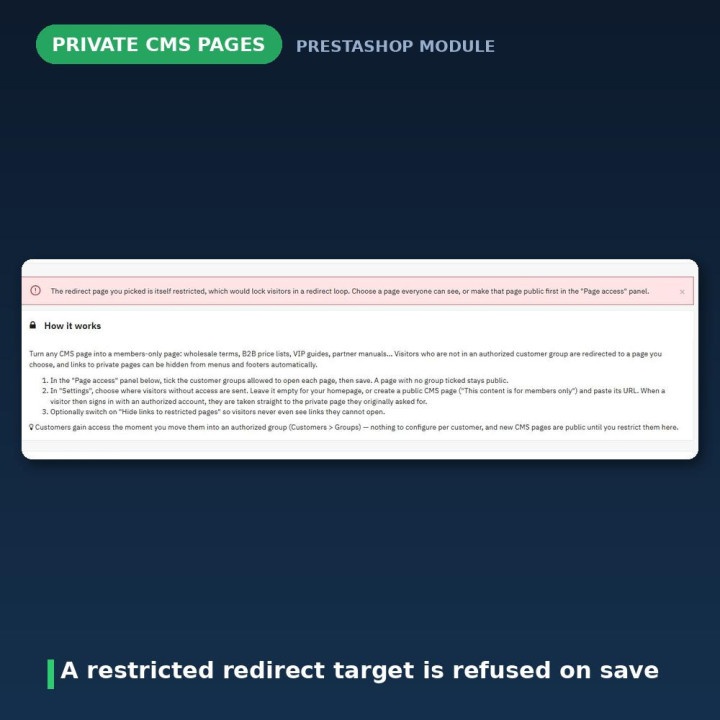
A redirect loop is impossible. The module refuses to accept a restricted page as the redirect target when you save, warns you on the configure page if a page you already chose later becomes restricted, and falls back to your homepage at runtime if it ever happens anyway. Three separate guards for one mistake, because that mistake locks people out of the shop.
They sign in, and land exactly where they wanted to be
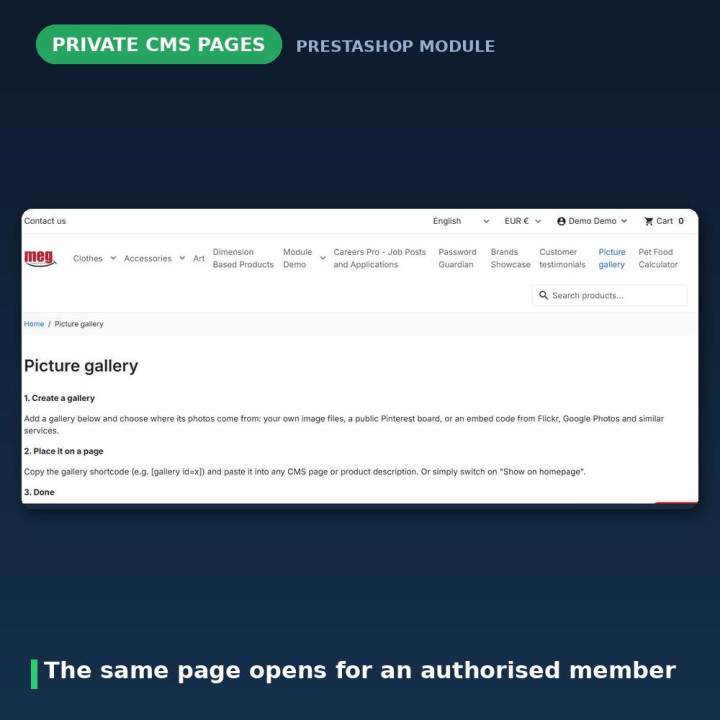
A visitor clicks a private page, gets redirected, then logs in. Most implementations drop them on the homepage and let them find their way back. This one remembers the page they asked for and takes them straight to it the moment they sign in with an authorised account.
If the account they signed in with is not in an authorised group, they go to your homepage rather than being bounced back to a page they still cannot open. And a login that happens inline during checkout is deliberately left alone — nobody gets yanked out of a checkout because of a CMS page they clicked twenty minutes earlier.
Hidden links, worked out on the server
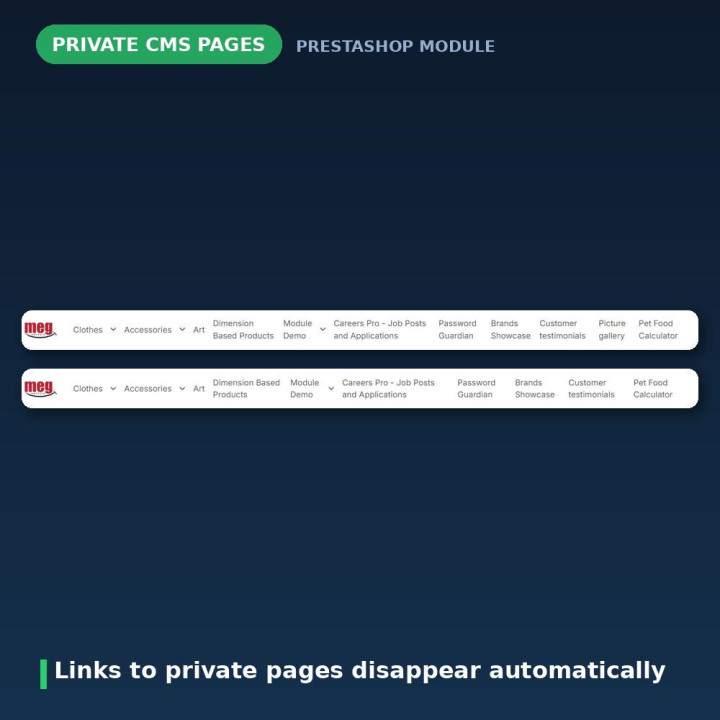
Switch on Hide links to restricted pages and links to pages a visitor cannot open are removed from menus, footers and CMS category listings. A CMS category link disappears only when every active page inside it is private for that visitor, so you do not lose a whole menu entry over one restricted page.
The restricted ids are computed server-side, per visitor, and injected into one small dependency-free script. No request is sent from the browser — not one per link, not one at all.
Be clear about what this is, though: hiding is cosmetic, and the redirect is the real protection. A hidden link still exists in the page HTML. It does not matter, because the page it points to cannot be opened either way.
Access is checked on the page, not on the link
A visitor who types the URL directly, or who was sent it by a colleague, is redirected exactly like everyone else. So are embedded ?content_only=1 views, which is the kind of side door that catches out implementations that only guard the front-office link.
Group membership the way you would expect it to work
A logged-in customer counts as a member of all the groups they belong to — their default group plus any additional ones — read straight from the customer's group memberships. That means it still works correctly on shops where PrestaShop's internal group feature flag is switched off, which is a quiet failure mode elsewhere.
Move a customer into an authorised group under Customers → Groups and every private page for that group opens for them immediately. There is nothing to re-save in the module.
Visitors who are not logged in belong to PrestaShop's Visitor group. You can tick it to keep a restricted page reachable for them, though that is rarely what anyone wants.
Built to stay out of the way of your other modules
No core overrides. Version 2 uses three standard hooks — actionDispatcherBefore decides access before the page is dispatched, actionFrontControllerSetMedia injects the link-hiding script, and actionAuthentication handles the post-login return. Nothing else.
That matters more than it sounds. Overrides of CMS and CmsController are exactly the files other modules want to override too, and they are notorious for lingering on disk after an uninstall. This module cannot collide with them, because it does not touch them.
Version 2 closed two real security holes
This deserves to be stated plainly, because it concerns a module whose entire job is access control.
Version 1.x shipped an admin AJAX endpoint that was reachable without logging in. Its token check compared two server-side values that were always equal to each other, so the check passed for everybody. Anyone who knew the URL could read — or rewrite — your access rules. A second public endpoint (classes/hidecmslink.php) accepted a token parameter and then never checked it at all, and the page list carried an SQL-injectable sort parameter.
Version 2 removes all of it. Every back-office action now runs on the configure page behind the admin token, and the 2.0.0 upgrade deletes the old files from disk rather than leaving them sitting there.
What else version 2 fixed
The old "hide links" feature fired one synchronous AJAX request per link and covered the page with a white loading overlay — which is why the 1.x documentation quietly advised against turning it on. It is now one small script and zero requests.
New CMS pages used to be invisible to the module until someone opened the configure page, because a sync table had to catch up. Version 2 stores only the restricted pages, so new pages are public and listed automatically.
The redirect link used to be mandatory, and the module nagged until it was filled in — with a 1.x default that sent your visitors to prestashop.com. It is optional now, validated, and empty simply means your homepage.
And jQuery UI 1.8 plus tab plugins were being loaded into your back office. All gone.
Upgrading from 1.x is a single step
Upload version 2 over the old one, or use the module upgrade button. The upgrade migrates every stored access rule and your settings into the new format, strips the core overrides out of the shop, deletes the 1.x files including both insecure endpoints, and drops the old cmspages table. There is nothing to reconfigure — just open the Page access panel once and confirm your rules arrived.
Version 2.0.2 fixed an upgrade fault worth naming directly: both the 2.0.0 and 2.0.1 steps tied their success to registerHook() calls returning true, so a transient failure — or a hook already registered by a partial earlier attempt — marked the whole step failed and PrestaShop disabled the module. Hooks are now registered idempotently and every step reports success.
Compatibility and multistore
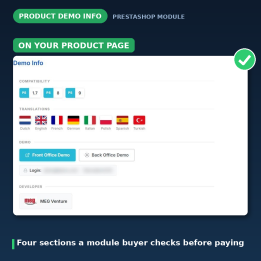
PrestaShop 1.7, 8 and 9, in eight languages: Dutch, English, French, German, Italian, Polish, Spanish and Turkish.
On multistore, access rules are global — a CMS page shared by several shops carries the same rule everywhere. The Page access panel lists the pages of the shop you are currently working in, or all pages in the All shops context, and saving only rewrites the rules for the pages it listed.
Uninstalling deletes the access rules and the module's settings. Your CMS pages are untouched — they simply all become public again.
Frequently asked questions
How do I make a page private?
Tick at least one customer group on that page's row in the Page access grid and save. Any page with no group ticked is public, which is also the default for every page you create later.
Where do visitors without access end up?
On the URL you set in the settings, or on your homepage if you leave that field empty. A short public page explaining how to get access works best.
Can a visitor get stuck in a redirect loop?
No. The module refuses a restricted page as the redirect target when you save, warns you if a page you already picked becomes restricted afterwards, and falls back to your homepage at runtime regardless.
What happens if someone has the direct URL?
They are redirected. Access is checked on the page itself rather than on the links pointing at it, and that includes embedded ?content_only=1 views.
Does hiding links actually protect the pages?
No, and the module does not pretend otherwise. Hiding is cosmetic — a hidden link is still in the HTML. The redirect is the real protection and it is always active, whether or not you switch hiding on.
A customer joined the right group. Do I need to re-save anything?
No. Move them into an authorised group under Customers → Groups and every page for that group opens for them immediately.
Does it override PrestaShop core files?
No. Three standard hooks and nothing else, so it will not conflict with other modules that override CMS or CmsController, and it survives PrestaShop upgrades. The 1.x overrides are removed from your shop during the upgrade.
I am upgrading from version 1.x — will I lose my rules?
No. The upgrade migrates every access rule and your settings, removes the old overrides and the two insecure 1.x endpoints, and drops the obsolete table. Open the Page access panel once afterwards to confirm.












Comments (2)
Your review appreciation cannot be sent
Report comment
Report sent
Your report cannot be sent