The questions every module buyer asks first
Does it work on my version? Is it available in my language? Can I see it running before I pay? What happens after I click buy? A developer selling on their own shop answers those questions in the description, in a table they maintain by hand, and often inconsistently across a catalogue of fifty products. This module turns all four into structured, per-product data in a block that renders itself.
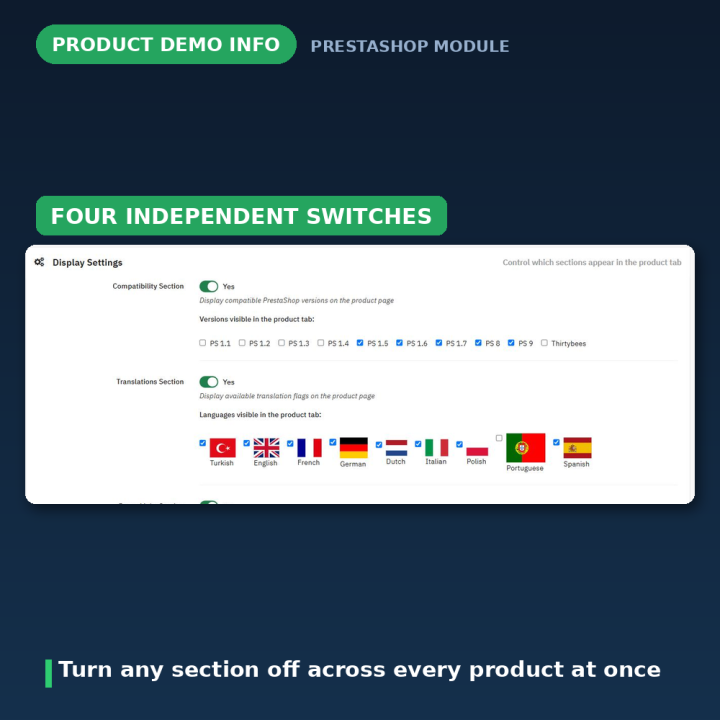
Four sections, each switched on or off
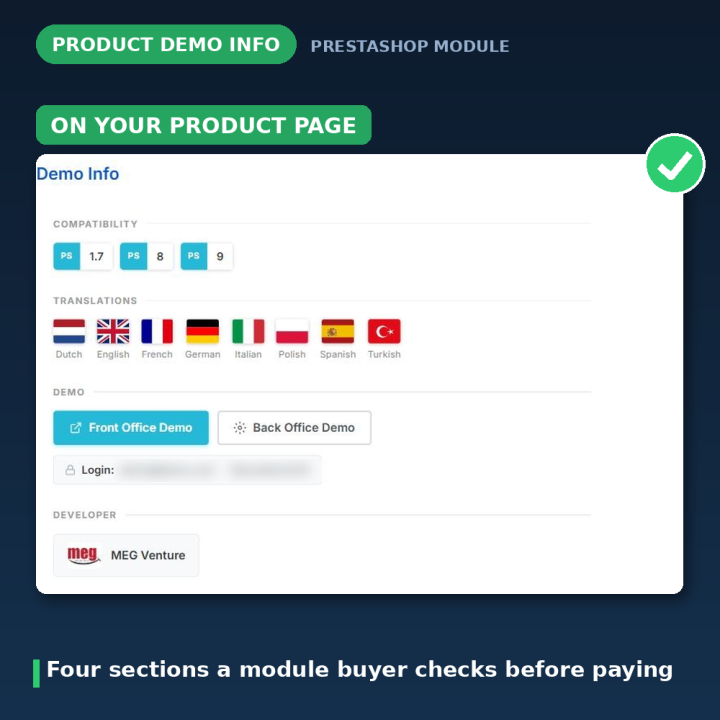
The Demo Info section is assembled from four independent blocks, and each one has its own switch on the configuration page:
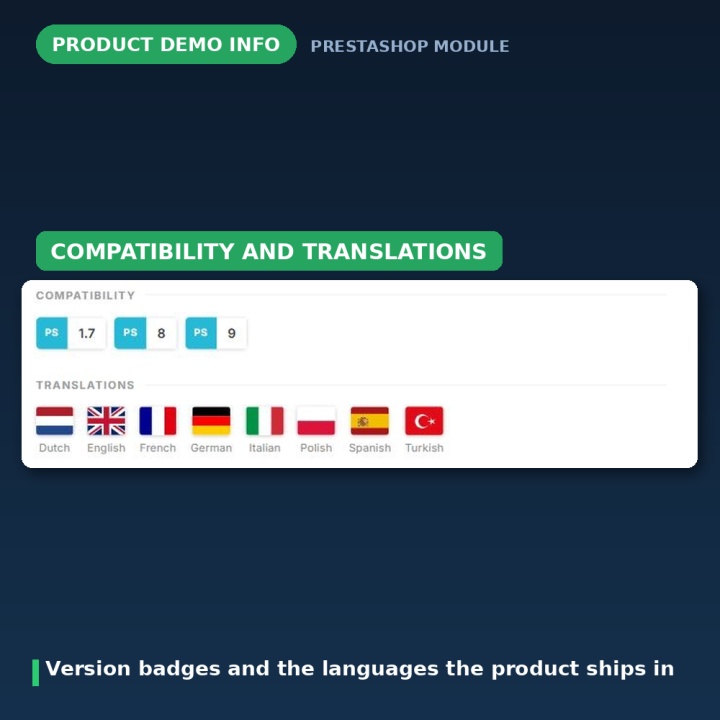
- Compatibility — the PrestaShop versions this product supports, shown as split badges.
- Translations — which languages the product ships with, shown as flags.
- Demo links — your front-office and back-office demo addresses, with the demo username and password.
- Developer info — your name and logo.
Turn off a section and it disappears from every product page at once. You are not editing templates to hide a block you are not using yet.
Choose which versions and languages you list
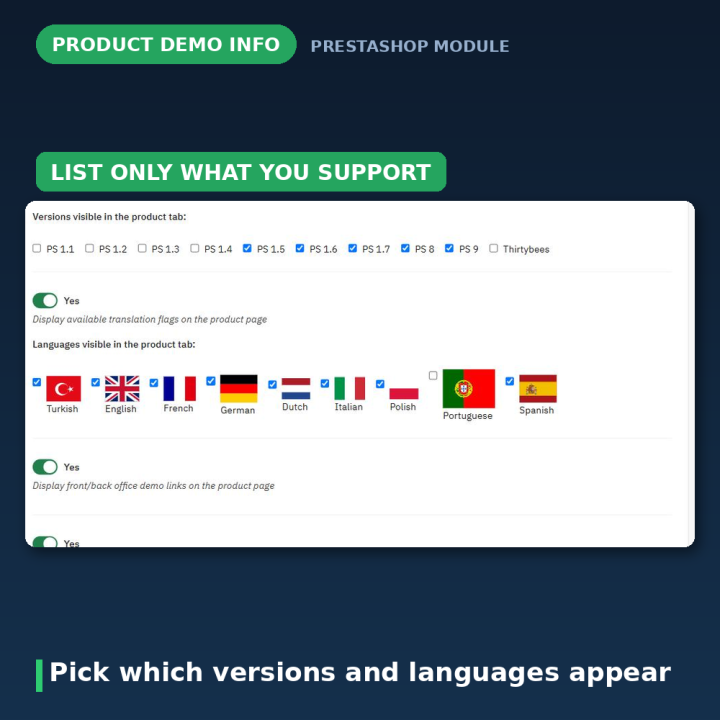
Not every developer wants a wall of ten PrestaShop versions on the page. The configuration page lets you pick exactly which versions and which languages appear in the section — ten version options from 1.1 through 9 plus Thirtybees, and nine languages — so a shop targeting only 1.7 and above shows three badges rather than ten, and one selling into three markets does not display nine flags.
Set it per product, from the product page itself
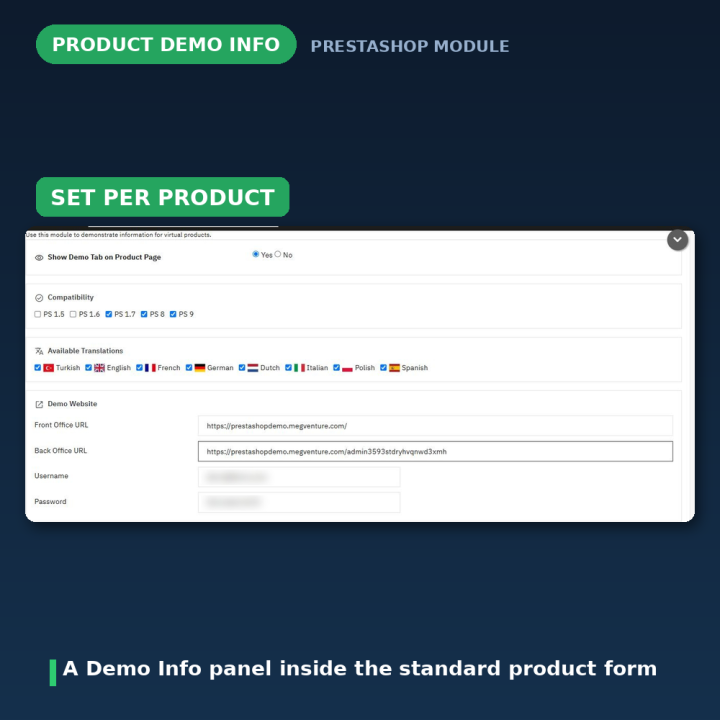
Each product gets its own Demo Info panel inside the standard PrestaShop product form, so the data lives where you already work. Switch the section on for that product, tick the versions it supports, tick the languages it ships with, paste the demo addresses and credentials, and save with the product.
A bulk editor for the day the version changes
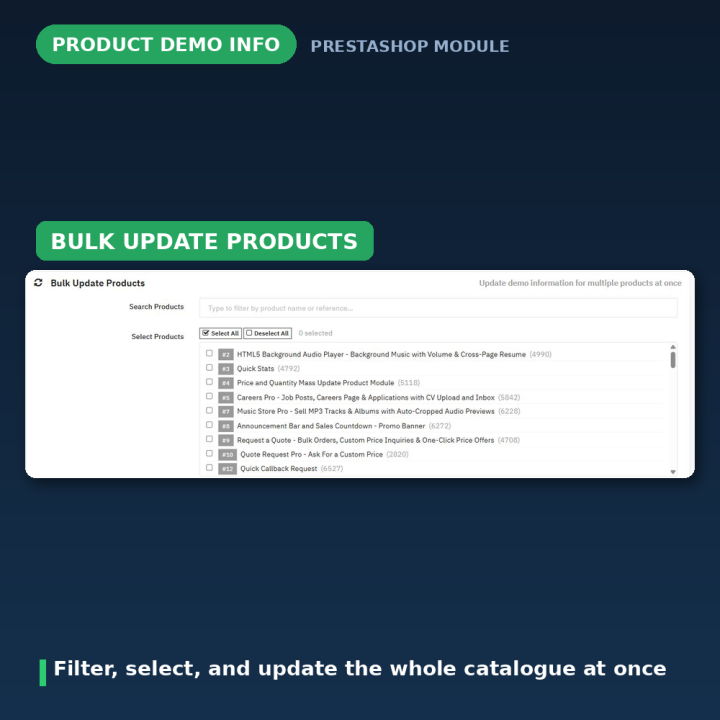
This is the part that earns its keep. When PrestaShop 9 lands and forty of your modules become compatible, you do not open forty products. The Bulk Update Products panel lets you filter your catalogue by name or reference, select the products you mean with Select All or individually against a running count, and apply a change to all of them at once — compatibility versions, translation flags, or the demo status itself. Compatibility and translations are opt-in per run, so an update that only touches versions leaves the language flags alone; within a run that is enabled, checked values are set and unchecked ones cleared. It reports how many products it updated, and refuses to run on an empty selection rather than silently doing nothing.
It renders where your theme puts its product content
The section attaches through displayProductExtraContent on modern themes, with displayProductAdditionalInfo as the fallback, so it lands with the theme's other product content blocks — a tab strip on some themes, a collapsible accordion panel on others — rather than being bolted somewhere odd. It ships separate templates for the 1.7, 8 and 9 generations.
Fixed for PrestaShop 9 and Hummingbird
Version 2.0.2 removed a fatal error on PrestaShop 9: the constructor called Tools::encrypt(), which core removed, to populate a property nothing ever read. The call is gone rather than replaced.
Versions 2.0.3 and 2.0.4 fixed a scrolling problem specific to themes that render product content as a Bootstrap accordion, like Hummingbird on PrestaShop 9. Opening one panel collapses whichever was open; if that panel was long, the page shrank beneath the visitor and the one they just opened could end up scrolled past — sometimes into the footer. The fix now compensates for the scroll before the collapsing animation starts, instead of correcting afterwards, which had produced a visible jump-then-return that read as broken. Every correction uses behavior: 'instant', because this theme sets scroll-behavior: smooth globally and any other value was silently turned into a second slow animation.
The section's CSS and JavaScript are registered with the module version attached, so a fix reaches returning visitors instead of being served from cache.
Compatibility
PrestaShop 1.7, 8 and 9, with separate templates for each generation. Shipped in eight languages: Dutch, English, French, German, Italian, Polish, Spanish and Turkish, with a partial Finnish translation included as well. The section renders from the module's own templates, so no theme file is modified.
Frequently asked questions
Who is this module for?
Developers and agencies selling modules, themes or other digital products on their own PrestaShop shop, who need every product page to answer the same four pre-sales questions consistently.
Can I show only some of the four sections?
Yes. Compatibility Section, Translations Section, Demo Links Section and Developer Info Section each have their own switch, and turning one off removes it from every product page.
Do I have to list every PrestaShop version?
No. You choose which of the ten version options appear, so a shop selling only to 1.7 and above is not showing badges for 1.1 through 1.6.
I have a hundred products and PrestaShop just released a new version. That is what the bulk editor is for. Filter your catalogue, select the products concerned, tick the new version, and apply it to all of them in one action.
Where does the section appear on the product page?
Wherever your theme places extra product content — a tab alongside Description and Details, or a collapsible accordion panel on themes like Hummingbird. It uses displayProductExtraContent, with displayProductAdditionalInfo as a fallback.
Does it work with Hummingbird on PrestaShop 9?
Yes. Hummingbird renders these blocks as a Bootstrap accordion, which caused a scroll-position problem; versions 2.0.3 and 2.0.4 fix it, and 2.0.2 fixed a separate fatal error on PrestaShop 9.
Does it modify my theme?
No. The section renders from the module's own templates, with per-generation markup for 1.7, 8 and 9.











Comments (1)
Your review appreciation cannot be sent
Report comment
Report sent
Your report cannot be sent