
Bulk Pricing Grid - Volume Discounts Table, Price per Unit & Best Value Packs images
Bulk Pricing Grid - Volume Discounts Table, Price per Unit & Best Value Packs
Price:
€59.99
No tax
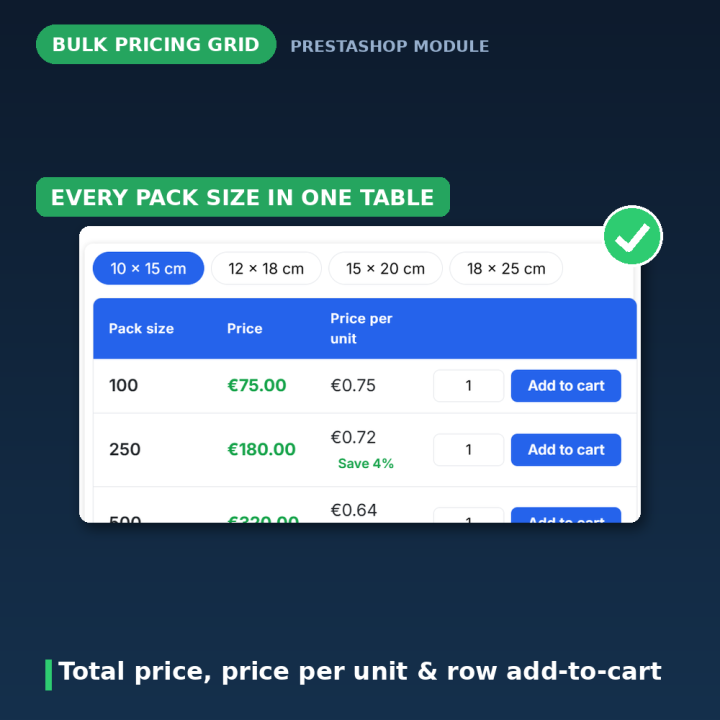
Sell packs the way wholesale buyers compare them. Bulk Pricing Grid replaces dropdown attribute pickers with a clean pricing table on the product page: every pack size at a glance, with total price, price per unit, crossed-out regular prices, discount badges and a highlighted "Best value" pack. Each row has its own quantity field and add-to-cart button, all prices come from PrestaShop's own price engine, and the customer switches dimensions with one tab click. For PrestaShop 1.7 – 9.
Wholesale buyers compare packs — help them do it in one look
If you sell bags, boxes, labels, envelopes, printed materials or tiles, your buyers don't want to click through attribute dropdowns one combination at a time. They want the whole price list: every pack size, the total, the price per unit, and where the deal is. Bulk Pricing Grid puts exactly that table on your product page.
How it works
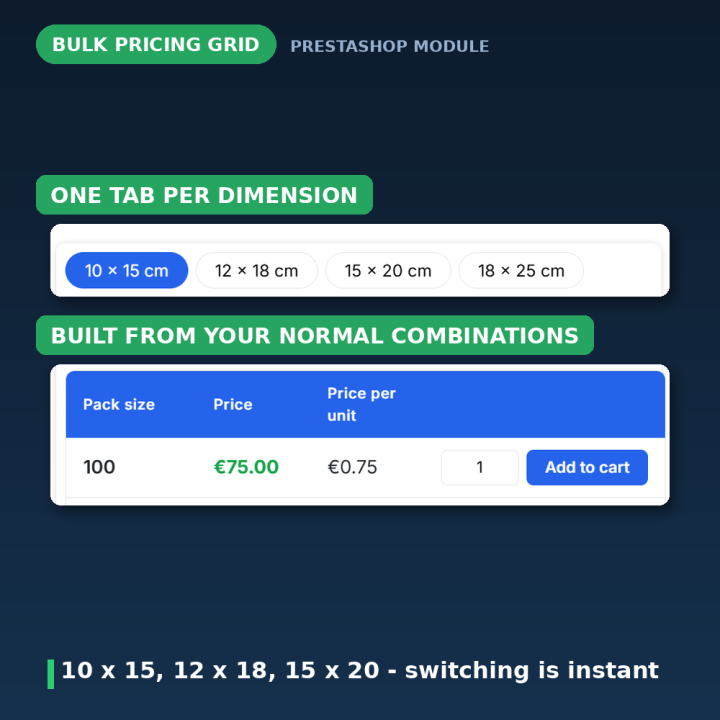
- 1. The customer picks a dimension tab — for example "10 × 15 cm" — and instantly sees every available pack size for it.
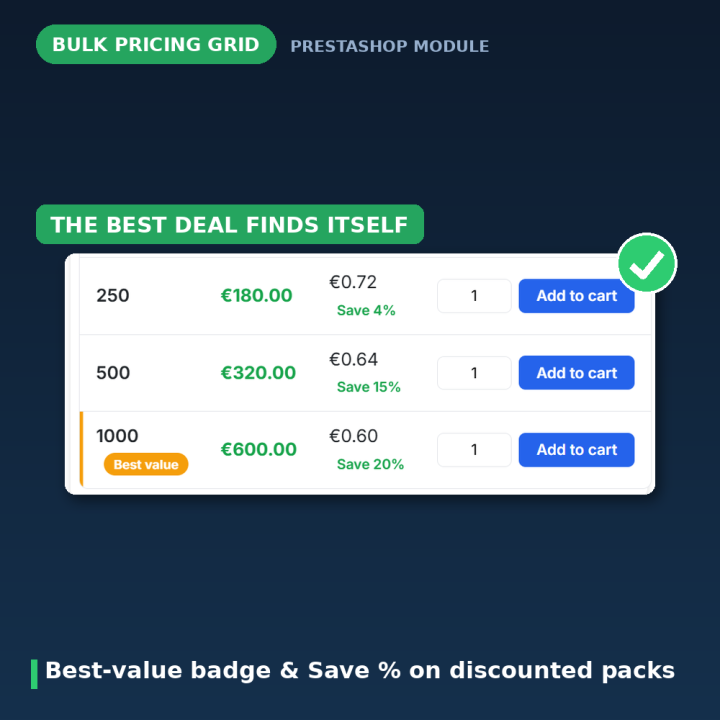
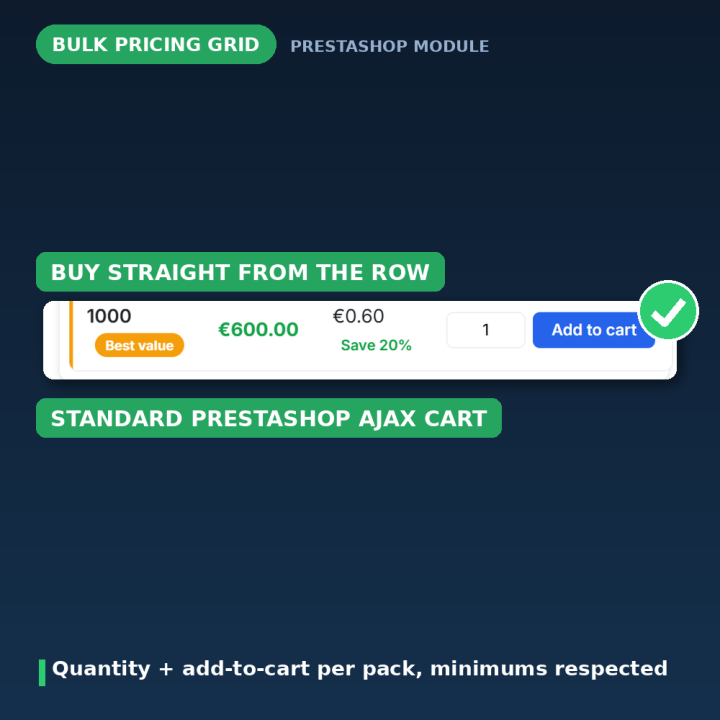
- 2. The grid does the comparing — each row shows the pack size, the total price, and the price per unit; discounted rows show the crossed-out regular price and a discount badge, and the pack with the lowest price per unit carries a "Best value" badge with a "Save X%" hint.
- 3. They buy from the row — each row has its own quantity field (respecting minimum quantities) and add-to-cart button, wired into PrestaShop's standard ajax cart with the usual confirmation modal.
Real prices, always
Every price is computed server-side by PrestaShop's own price engine — so specific prices, customer-group prices, taxes and currencies are always respected. Volume discounts you define on the product's Pricing tab appear in the grid automatically, badge included.
Built on your existing combinations
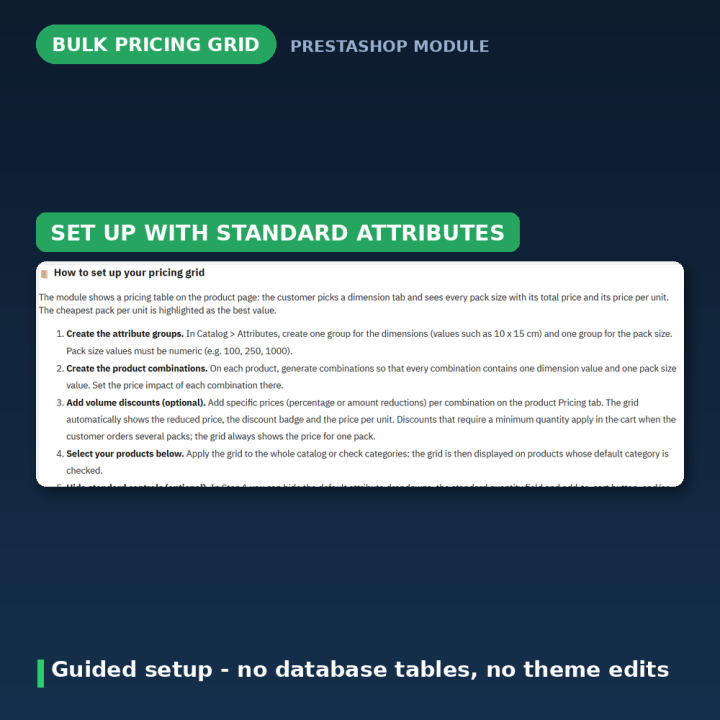
No parallel catalog to maintain: the grid is generated from the product's normal attribute combinations. Create a Dimension attribute group and a numeric Pack Size group, generate combinations, set price impacts — done. Apply the grid to the whole catalog or only to chosen categories, and show it with the product information or at the bottom of the page.
Styled to match your shop
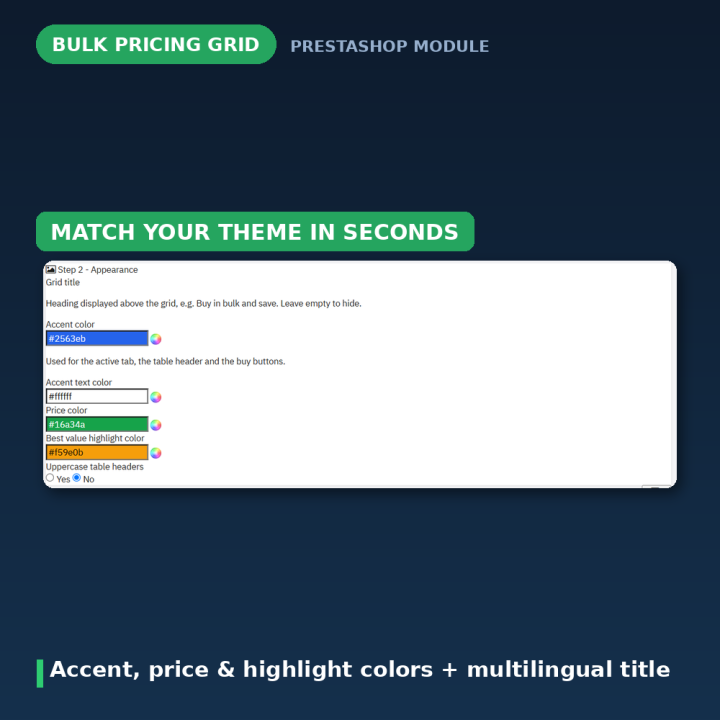
The grid title is multilingual, and accent, price and highlight colours plus uppercase headers are adjustable in the appearance panel. The front end is self-contained — one template, one stylesheet driven by CSS variables, one dependency-free JavaScript file — and the module hides PrestaShop's standard attribute selectors and volume-discount table while the grid is shown (switchable).
Clean engineering
- No database tables — all settings are JSON in the configuration table and removed at uninstall.
- Standard hooks only — displayProductAdditionalInfo or displayFooterProduct; no theme edits.
- 10 languages included — English, French, Spanish, German, Italian, Dutch, Polish, Portuguese, Brazilian Portuguese and Turkish.
Compatibility
PrestaShop 1.7, 8 and 9. Works with any theme that renders standard product-page hooks; in catalog mode prices and buy buttons are hidden automatically.
Frequently asked questions
What do I need to set up?
Two attribute groups: a Dimension group (e.g. "10 × 15 cm") and a numeric Pack Size group (100, 250, 1000 — numeric so the price per unit can be calculated). Generate combinations containing one value of each, and the grid appears.
Where do the discounts come from?
From PrestaShop's own specific prices on the product's Pricing tab — percentage or amount, per combination. The grid shows the reduced price, the crossed-out regular price and the badge automatically.
Does it respect customer-group prices and taxes?
Yes — all prices are computed server-side with the standard PrestaShop price engine, so group prices, specific prices, taxes and currencies all apply.
Can I show the grid only for some products?
Yes. Apply it catalog-wide or restrict it to categories — the grid shows on products whose default category is checked.
The grid doesn't show on a product — why?
The product needs combinations, every combination must contain a dimension value and a numeric pack-size value, and if you restricted by category the product's default category must be checked.
What happens when I uninstall?
All settings are removed from the configuration table. The module creates no database tables and your combinations stay untouched.
-
Brand

-
Reference14813
-
EAN138691246214812
-
CompatibilityPrestashop 1.4
Prestashop 1.5
Prestashop 1.6
Prestashop 1.7
Prestashop 8
Prestashop 9 -
Available Module TranslationsDutch
English
French
German
Italian
Polish
Portuguese
Spanish
Turkish
Compatibility
PS1.7
PS8
PS9
Translations
 Dutch
Dutch
 English
 French
 German
 Italian
 Polish
 Spanish
 Turkish
Developer
 MEG Venture
4 other products in the same category
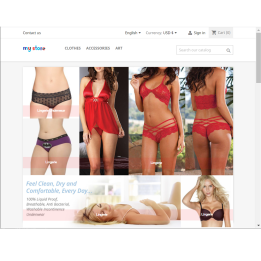
Homepage Banner Grid - Clickable Image Collage and Promo Layouts
€49.99
Rated out of 5 stars based on
review(s)

Music Store Pro - Sell MP3 Tracks & Albums with Auto-Cropped Audio Previews
€59.99
Rated out of 5 stars based on
review(s)
| Version | 3.0.0 |
|---|---|
| Last updated | 2026-07-28 |
| Changelog | - [2026-07-24] Add Dutch, Polish, and Turkish translations for combination grid module strings - [2026-07-23] Translate module strings in Turkish for combination grid feature, updating labels, descriptions, and messages for better localization. - [2026-07-23] Populate translation files with complete translatable strings - [2026-07-23] Populate translation files with complete translatable strings - [2026-07-23] Add authentic translations for 7 languages (FR, DE, PL, NL, TR, IT, ES) - [2026-07-23] Populate translation files with complete translatable strings - [2026-07-23] Populate translation files with complete translatable strings - [2026-07-23] Populate translation files with complete translatable strings - [2026-07-23] Populate translation files with complete translatable strings - [2026-07-07] Add separate option to hide volume discounts table - [2026-07-07] Fix pricing grid hidden when standard controls are disabled - [2026-07-07] Add config options to hide standard attribute and quantity fields - [2026-07-07] Fix grid tabs, quantity validation, and dynamic volume pricing - [2026-07-07] Implement hide native controls feature and enhance quantity handling in the bulk pricing grid - [2026-07-06] Add translations for Portuguese and Turkish, and create templates for pricing grid - [2026-06-23] Initial commit |
Comments (2)
Your review appreciation cannot be sent
Report comment
Report sent
Your report cannot be sent