Nobody scrolls a list of ninety brand names
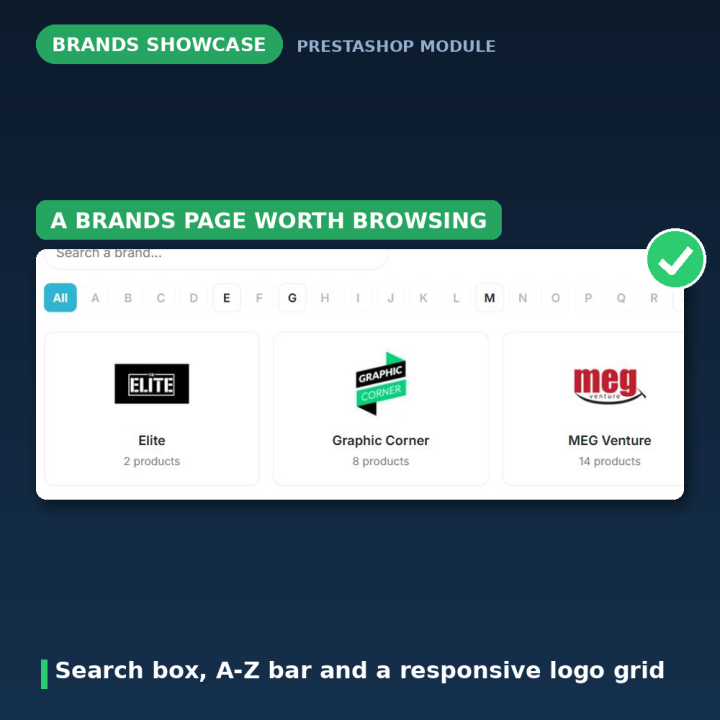
If you carry more than a handful of brands, the stock All brands page stops being useful at about brand fifteen. Shoppers who came looking for one specific manufacturer give up and use the search box — or leave. This module rebuilds that page around the two things people actually do: search for a brand by name, or jump to its letter.
Live search and an A-Z index
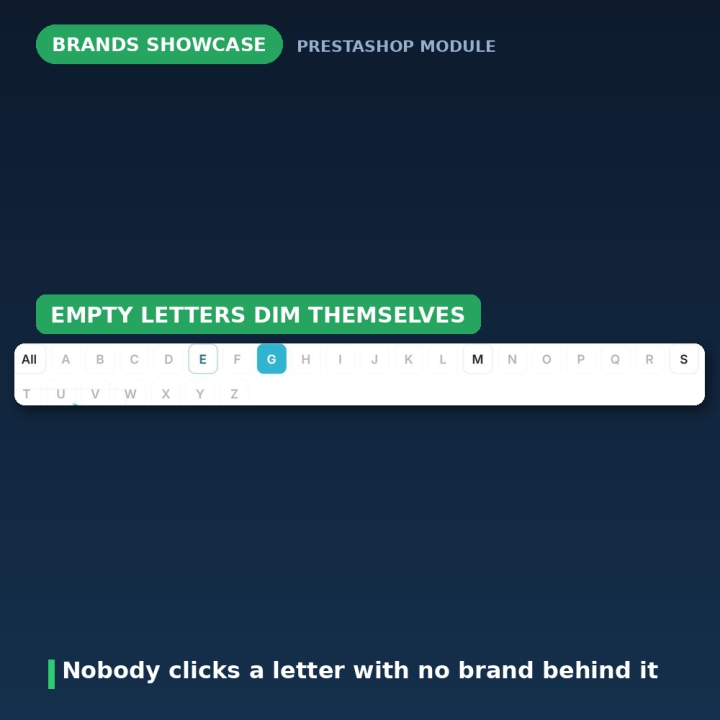
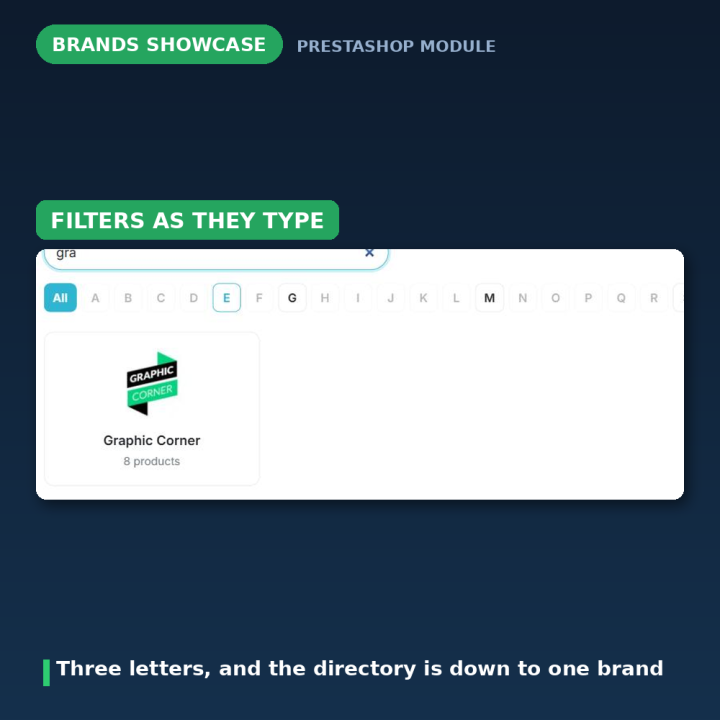
The search box filters the grid as the shopper types — no page reload, no waiting. The A-Z bar sits above it, and letters with no brand behind them are dimmed automatically, so nobody clicks a dead letter. Both are optional switches if you would rather have only one of them.
A logo grid that looks like a brand page should
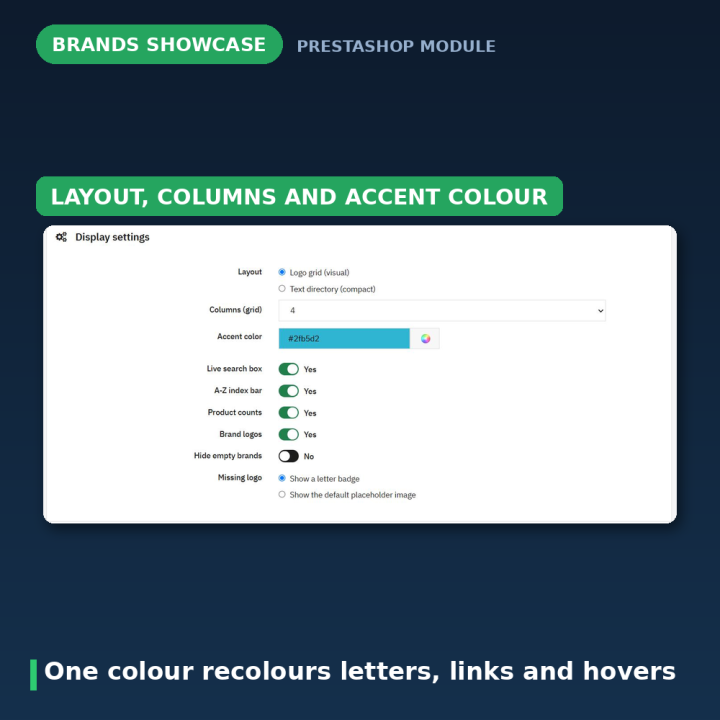
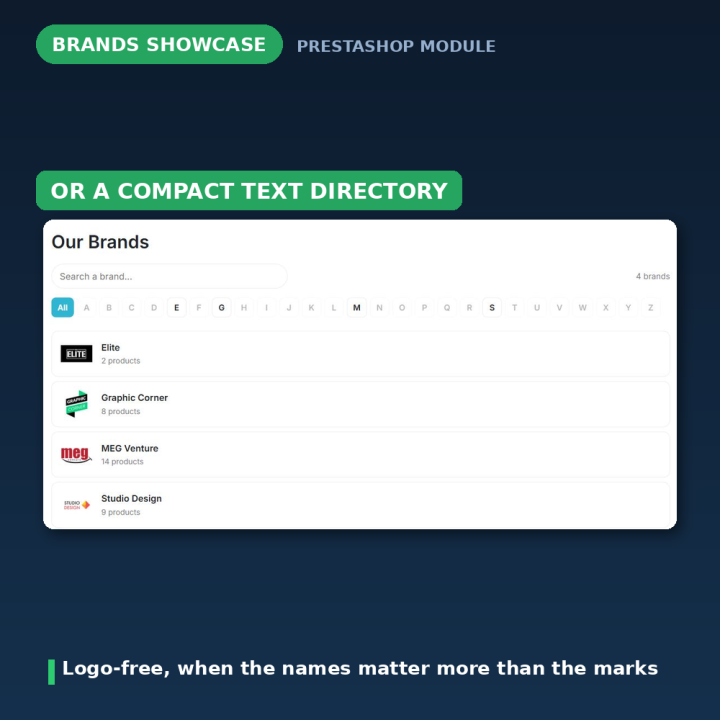
Two to six columns on wide screens, reducing on its own down to a single column on phones. Brands with no logo uploaded show a coloured letter badge instead of a broken image — or PrestaShop's default placeholder, if you prefer. There is also a text directory layout: no logos, just a compact list, for catalogues where the names matter more than the marks.
Details that make it yours
Turn on a per-brand product count badge — "12 products" — so shoppers can see which brands you carry deeply. Hide brands that currently have no products, so the page never advertises an empty shelf. And set one accent colour that recolours the active letter, the links and the hover effects together, instead of hunting through CSS.
It checks its own setup
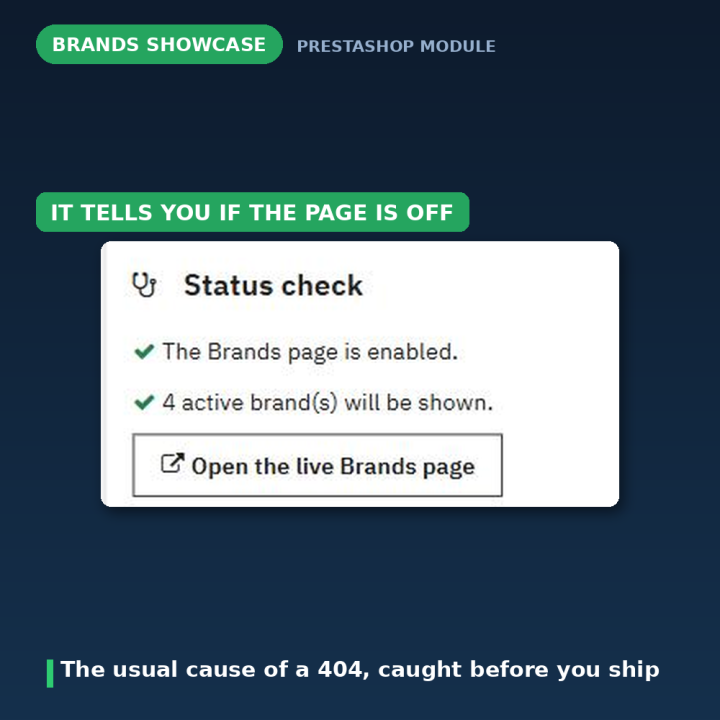
The configuration page opens with a Status check panel. If PrestaShop is currently hiding the Brands page — the single most common reason the page 404s — it says so and offers a one-click Enable the Brands page button. If you have no brands yet, it tells you that too, and there is an Open the live Brands page link to preview your changes.
No theme file is ever touched
Version 1 physically replaced brands.tpl inside your theme on install and restored it on uninstall. That broke on theme updates, only worked on the classic theme, and left orphaned brands_old.tpl files behind. Version 2 uses PrestaShop's own displayOverrideTemplate hook instead: when the manufacturer controller asks for its template, the module simply returns its own path. Nothing in your theme changes, on any theme, on any version from 1.7 to 9. Upgrading from v1 restores your original template automatically.
Light, and only where it is needed
Brand data is queried and normalised by the module, so the template gets the same predictable structure regardless of PrestaShop version — the core controller's data shape changed between 1.7/8 and 9. Assets load only on the brands list page through actionFrontControllerSetMedia, and the front-end script is dependency-free vanilla JavaScript — no jQuery, no Bootstrap.
Compatibility
PrestaShop 1.7, 8 and 9, in eight languages: Dutch, English, French, German, Italian, Polish, Spanish and Turkish. It only affects the all brands listing — individual brand pages, the product list for a single manufacturer, are left completely untouched. Uninstalling removes the module's settings and restores the standard Brands page, with nothing left behind.
Frequently asked questions
Does it change my theme files?
No. It uses the displayOverrideTemplate hook, so your theme is never modified — which is exactly what version 1 got wrong.
Will it work with my theme?
Yes. Because it overrides the template through a hook rather than replacing a file, it works on every theme, not just the classic one.
My Brands page shows a 404 — is that this module?
Almost certainly not: PrestaShop is set to hide the Brands page. The Status check panel spots it and gives you a one-click button to switch it back on.
What happens to brands with no logo?
They show a coloured letter badge by default, so the grid stays tidy. You can switch to PrestaShop's default placeholder image instead.
Can I hide brands that have no products?
Yes, one switch. The page then never shows a brand you cannot actually sell.
Can I have the directory without logos?
Yes — the text directory layout is a compact, logo-free list.
Does it slow the page down?
Its CSS and JavaScript load only on the brands list page, and the script is vanilla JavaScript with no jQuery and no Bootstrap.











Comments (1)
Your review appreciation cannot be sent
Report comment
Report sent
Your report cannot be sent