A video that sends people to Vimeo is a video that loses the sale
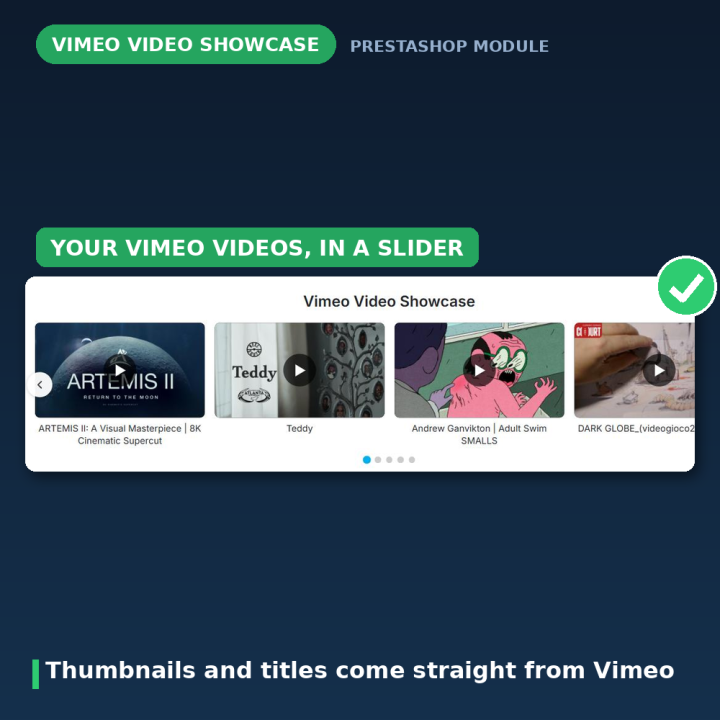
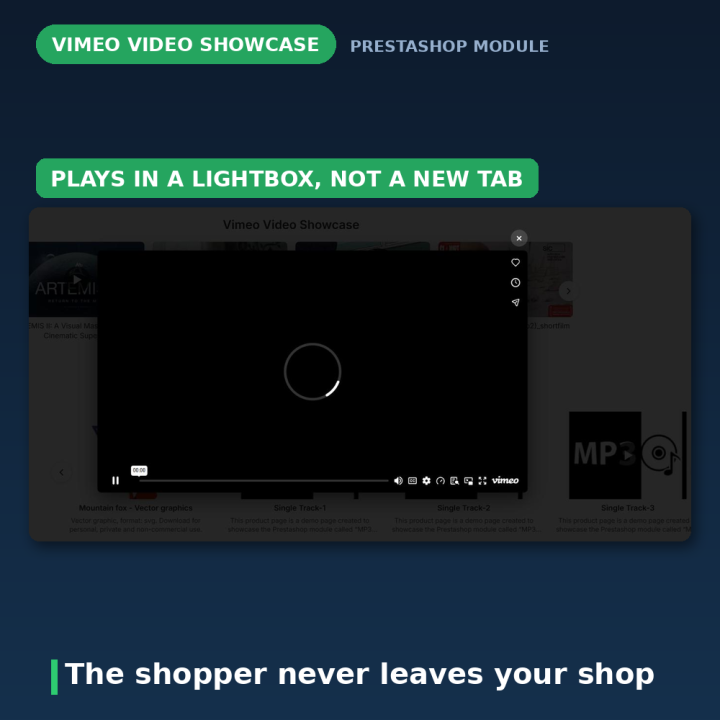
Product videos, tutorials and brand clips sell — but only while the shopper is still in your shop. This module keeps them there: the videos sit in a slider on your homepage, and clicking one opens a lightbox over the page rather than a new tab on vimeo.com.
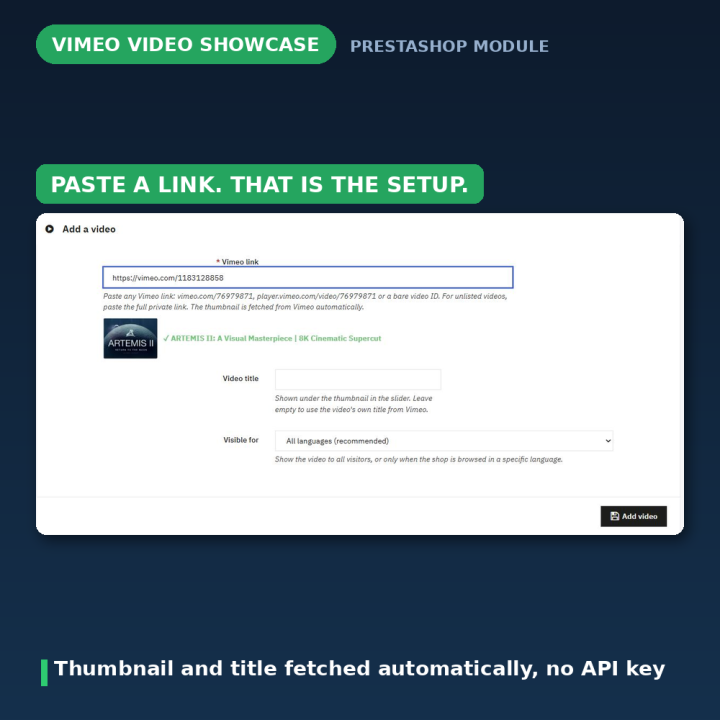
Paste a link. That is the setup.
- 1. Copy the video's link from the address bar or Vimeo's Share button.
- 2. Paste it into "Add a video" and click Add. A preview appears as soon as the link is recognised.
- 3. There is no step three — the thumbnail and the title come from Vimeo automatically, and the slider is live on your homepage.
Leave the title blank and the video's own Vimeo title is used. Every link format is accepted: vimeo.com/…, player.vimeo.com/video/…, channel, group and showcase links, even a bare video ID.
Unlisted videos, without making them public
Paste the full private link — the one with the extra code after the number — and the video plays in your shop while staying hidden on Vimeo. That is what you want for tutorials, customer-only material or anything not ready for a public channel.
A lightbox, not a detour
Videos open in a distraction-free overlay, closable with a click or the Escape key, and played in Vimeo's Do-Not-Track mode (dnt=1). Autoplay on the slider pauses while a video is playing and while the browser tab is in the background, so nothing is sliding around behind the player.
A slider that behaves on every screen
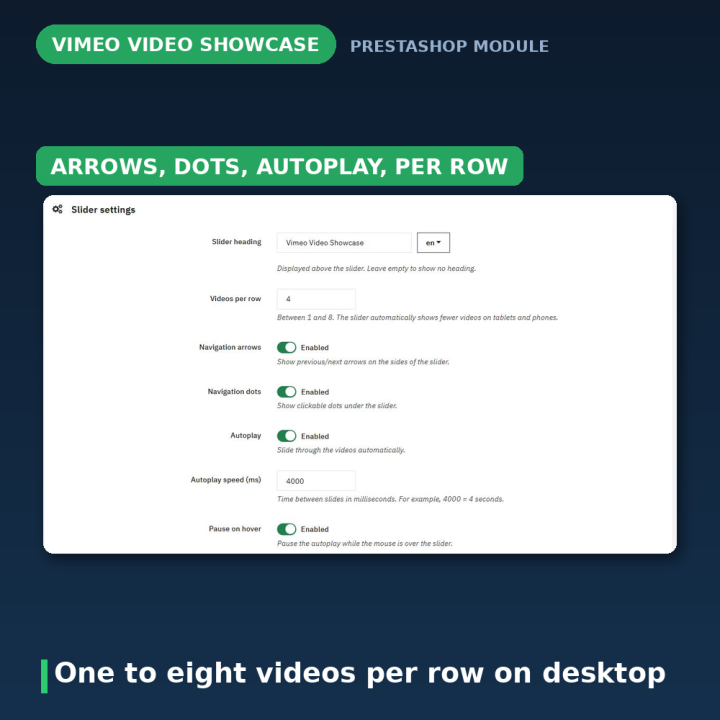
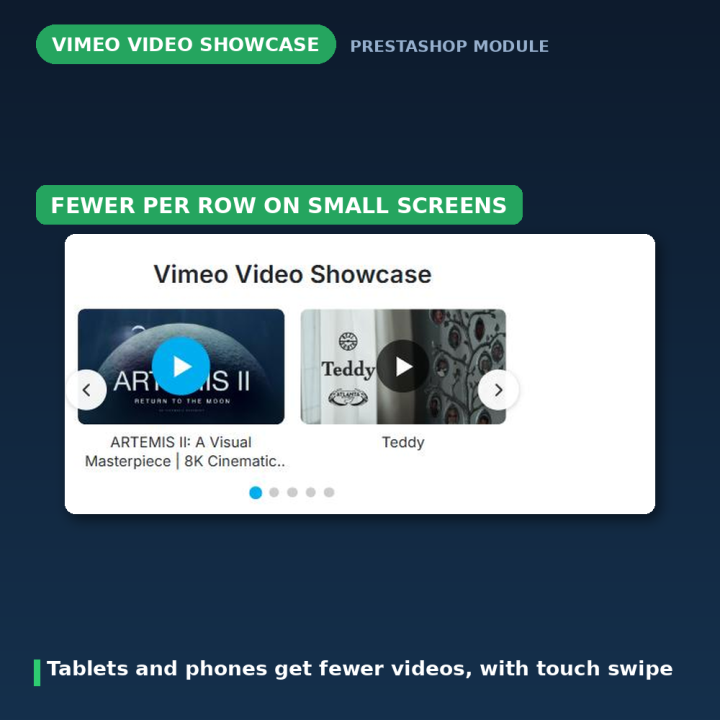
Choose how many videos sit in a row on desktop, from one to eight; the slider automatically shows at most four on small desktops, three on tablets and two on phones, with native touch swiping. Arrows and dots are optional, and both disappear on their own when every video already fits on screen. Autoplay speed and pause-on-hover are settings.
Control per video, and per language
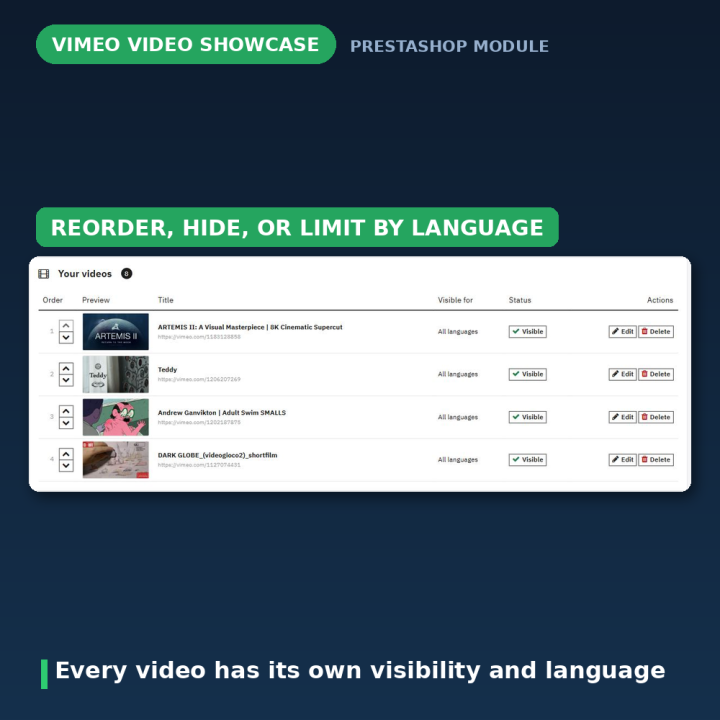
The Your videos list lets you reorder with up and down arrows, hide a video with one click, edit it, or delete it. Any video can be restricted to a single shop language or shown to everyone — useful when a tutorial only exists in German, or when a campaign clip is for one market. Videos whose language was later removed from the shop are flagged so you can reassign them instead of silently disappearing.
Light by design
No jQuery. No slick, no modal-video plugin, no external libraries, no API key. One small CSS file and one small JavaScript file, loaded only when there is something to show, and cache-busted with the module version so updates reach returning visitors without a hard refresh.
What version 2.0 fixed
Older releases loaded jQuery 1.10 from a CDN on every page, hooked both header and displayHeader so assets loaded twice, let empty URLs produce broken grey slides, and had a configuration page that failed on modern PrestaShop versions. All of that is gone by design: no jQuery at all, every save validated and redirected, and a video cannot be saved without a valid Vimeo link. Upgrading migrates your existing videos automatically — IDs are extracted, thumbnails re-fetched, and any old slide without a valid video is kept but marked Hidden rather than dropped.
Compatibility
PrestaShop 1.7, 8 and 9, in eight languages: Dutch, English, French, German, Italian, Polish, Spanish and Turkish. The slider attaches to displayHome on install, renders on any display hook if you move it from Design → Positions, and can be placed in a template directly with {widget name='vimeoslider'}. Uninstalling removes the module's table and settings — your videos on Vimeo are untouched.
Frequently asked questions
Do I need a Vimeo API key?
No. Paste the link and the module fetches the thumbnail and title itself.
Can I use unlisted videos?
Yes — paste the full private link including the code after the video number, and it plays in your shop while staying unlisted on Vimeo.
Where does the video play?
In a lightbox over your page, closable by click or the Escape key, so the shopper never leaves the shop.
How many videos show at once?
You pick between one and eight per row on desktop; tablets and phones automatically get fewer, with touch swiping.
Can a video be shown only to one language?
Yes. Each video can be restricted to a single shop language or shown to everyone.
Can I put the slider somewhere other than the homepage?
Yes. Move or copy it to any display hook from Design → Positions, or place it in a template with {widget name='vimeoslider'}.
A thumbnail shows as a dark placeholder — what now?
Vimeo did not answer when the module asked for it. Open the video's Edit form and click Update video, and check the video is not private; for unlisted videos the full private link is required.











Comments (1)
Your review appreciation cannot be sent
Report comment
Report sent
Your report cannot be sent