For shops where the price is not for everyone
Wholesale pricing you do not want competitors reading. A catalogue you sell into some countries but not others. Products that are quoted rather than listed. In all three cases the answer is the same: show the product, hide the number, and give the visitor a reason to get in touch or sign in.
One rule, chosen deliberately
The configuration page offers exactly one choice, not a pile of switches that can contradict each other:
- Nobody — the module is paused, and nothing is hidden.
- Visitors who are not signed in — guests lose the price across the whole catalogue.
- Visitors from the countries you select — everyone else keeps it.
- Everybody, but only on flagged products — hidden on the products you mark, and nowhere else.
Earlier versions had three independent toggles and saving an invalid combination simply failed. Making it a single exclusive choice means an impossible configuration cannot be created in the first place — and the Nobody option means pausing the module never requires uninstalling it. Open a product's Modules tab while a different rule is active and the module tells you plainly that its per-product options have no effect right now, rather than letting you set something that silently does nothing.
The price is removed before the page exists
This is the part that matters. On PrestaShop 1.7.5 and above the module hooks into actionPresentProduct and actionPresentProductListing and rewrites the product server-side: show_price off, price strings emptied, add-to-cart URL removed. The price never reaches the HTML, so it is not sitting in the markup waiting to be found in the page source.
Hiding covers everywhere a price appears: category pages, search results, homepage widgets — featured products, best sellers, new products, specials — quick view, and the product page itself. On listing pages the add-to-cart button goes with it. A small JavaScript layer handles listing miniatures and defensively strips price markup that an unusual theme might still render, but it is a second line of defence rather than the mechanism.
It cannot be bought around
Hiding a price is worth little if someone can still post the product into their cart. On every cart save, and again on the cart and checkout pages, restricted products are removed server-side — so a hand-crafted add-to-cart link gets them nowhere.
If the visitor's country cannot be determined, they are treated as restricted. The rule fails closed: it never leaks a price because geolocation was uncertain.
Quick-view popups are handled without touching them
Quick-view modules render prices through their own AJAX controllers, which is exactly where this kind of masking usually leaks. Those requests are intercepted at dispatch time and the module's price display is forced off in memory, for that request only — its files and database settings are never modified. A MutationObserver scrubs injected popups and places your replacement message inside them, and the health check lists which quick-view modules it has detected on your shop.
What the visitor sees instead
For the guest and country rules: a multilanguage message you write, optionally with an automatic Sign in button that returns the visitor to the product they were looking at after they log in.
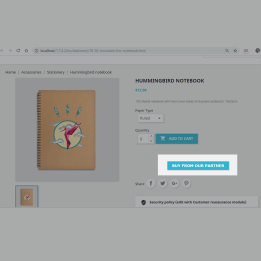
For the product rule: a per-product Content displayed instead of the price field, per language, where HTML is allowed — "Request a quote", a phone number, a contact link, whatever suits — or nothing at all if you leave it empty.
A health check that answers the questions before you ask them
The configuration page carries a health check that stays quiet when everything is fine and speaks up when it is not. On a healthy shop it simply confirms the active rule, how many products are flagged, which quick-view modules are covered, and that no files from an old version are lying around.
The rest appear only when they apply: a warning if the country rule is on but PrestaShop geolocation is disabled — with a direct link to switch it on, because the rule cannot distinguish visitors without it; a note if catalog mode is already hiding every price shop-wide and masking the module's effect; a note if your PrestaShop is older than 1.7.5; and a Repair now button if leftovers from version 1.x are detected. You are not asked to read past a wall of green ticks to find the one thing that matters.
Version 2 removed a security risk and a pile of core surgery
Version 1.x installed by replacing core files — a copy of ProductListingFrontController for each PrestaShop version, plus classic-theme templates and class overrides of ps_featuredproducts, ps_bestsellers, ps_newproducts, ps_specials and ProductController. Every PrestaShop update was then a chance of a white page.
Version 2.0 is a complete rewrite using nothing but hooks. No core file, no theme template, no override. PrestaShop upgrades cannot break it, because there is nothing of it inside PrestaShop to break.
It also removed the CSV mass import and export screens, which ran as standalone scripts with no authentication at all — a real security hole rather than a theoretical one. If you need bulk flagging, a secured admin-controller version is planned.
Upgrading from 1.x cleans up after the old version
Replace the folder and open the module's Configure page — it detects the pending upgrade and migrates itself in place, keeping your country list and per-product texts. It converts the three old switches into the single rule, restores the core controller and theme templates 1.x had replaced from the backups it left behind, deletes the leftover class overrides, regenerates the class index and clears the template cache. Anything that cannot be restored automatically is listed by the health check with a Repair now button.
Two practical notes: do not use the Module Manager's Upgrade button, which only works for Addons-sourced modules and reports "Could not perform action upgrade for module undefined" for a module updated on disk — opening the Configure page is the upgrade path. And never use Reset, which wipes the configuration.
Compatibility
PrestaShop 1.7 through 9, in eight languages: Dutch, English, French, German, Italian, Polish, Spanish and Turkish. Fully server-side price masking from 1.7.5 onward; on 1.7.0–1.7.4 the product presenter hooks do not exist, so hiding falls back to the CSS and JavaScript layer only — the health check tells you if your shop is affected. Per-product data survives quick edits, stock updates and web service saves, and rows are deleted automatically when a product is deleted.
Frequently asked questions
Can a determined visitor still find the price in the page source?
No, not on 1.7.5 and above. The price is stripped server-side before the HTML is built, so there is nothing in the source to find.
Can someone add a hidden product to their cart with a direct link?
No. Restricted products are removed from the cart server-side on every cart save and again on the cart and checkout pages.
Can I hide prices only from guests and let customers see them?
Yes — that is the visitors who are not signed in rule, and you can show a Sign in button that returns them to the product afterwards.
What happens if I cannot tell which country a visitor is in?
They are treated as restricted. The rule fails closed rather than risking a leaked price. Note the country rule needs PrestaShop geolocation enabled; the health check warns you and links straight to the setting.
Will it break when I update PrestaShop?
No. Version 2 touches no core file, theme template or override — it works entirely through hooks, so there is nothing inside PrestaShop for an update to break.
Does it work with quick-view popups?
Yes. Those AJAX requests are intercepted and the price display is forced off in memory for that request only; the quick-view module's own files and settings are never changed.
I am upgrading from 1.x — what do I have to clean up?
Nothing by hand. Open the Configure page and the module migrates itself, restores the core files 1.x replaced and removes its leftover overrides. Use the Configure page rather than the Module Manager's Upgrade button, and never Reset.
My prices are hidden everywhere and I did not expect that. Check whether PrestaShop's own catalog mode is switched on — it hides every price shop-wide independently of this module. The health check flags it when it applies. And if you want to stop the module without uninstalling it, set the rule to Nobody.












Comments (2)
Your review appreciation cannot be sent
Report comment
Report sent
Your report cannot be sent