
Video Testimonials - Customer Reviews, Verified Buyer Badges and Social Proof Slider images
Video Testimonials - Customer Reviews, Verified Buyer Badges and Social Proof Slider
Price:
€49.99
No tax
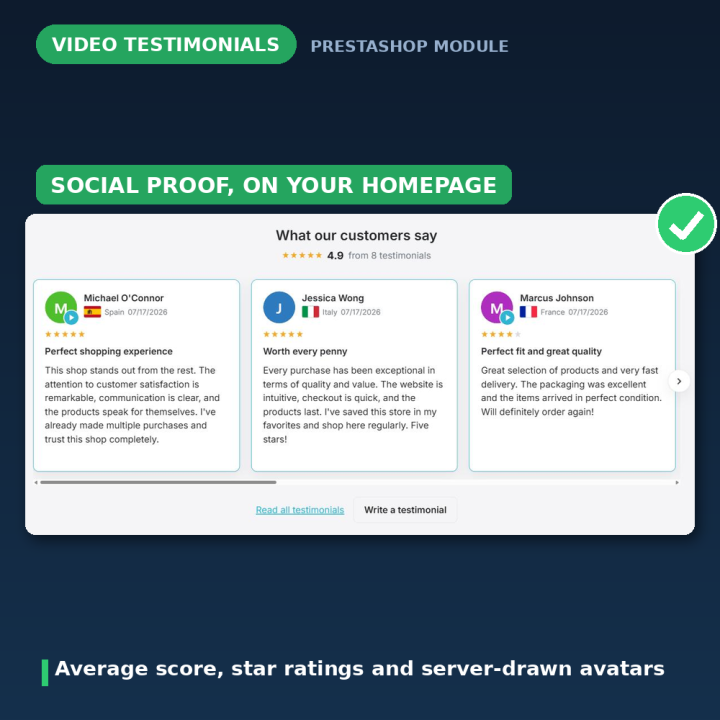
Let your customers tell your story. Collect written testimonials and YouTube or Vimeo video reviews through a front-office form, approve them in one click, and show them in a carousel on your homepage and on a dedicated testimonials page. Verified-buyer badges mark the people who actually ordered, star ratings summarise the rest, and invitation emails can go out automatically when an order reaches the status you choose. Avatars are drawn on your own server — no third-party requests, no stock photos of strangers. For PrestaShop 1.7 – 9.
The reviews you already earned, actually shown
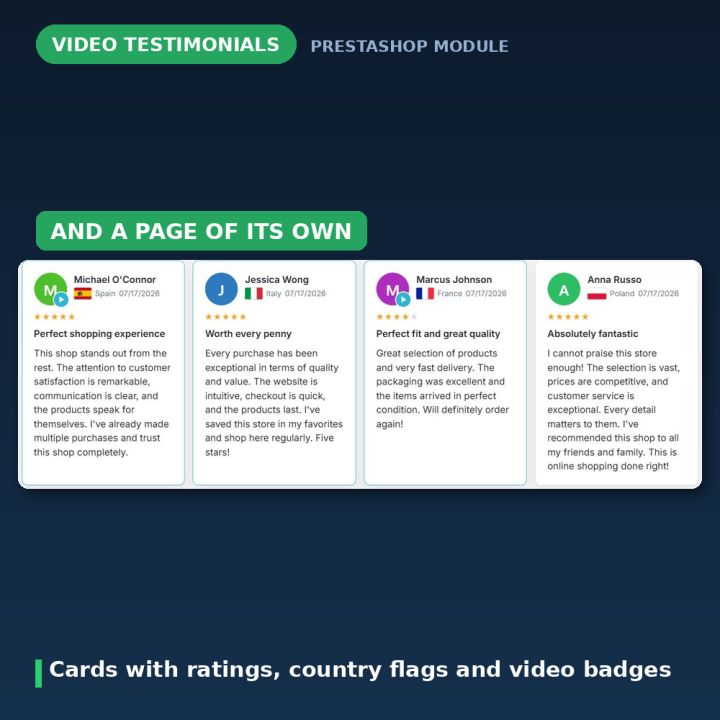
Most shops have happy customers and nothing on the page that proves it. This module closes that gap: a form your customers can reach from their account, a moderation queue you clear in one click, and two places the approved testimonials appear — a carousel wherever you place it, and a testimonials page of its own.
Written reviews and real video
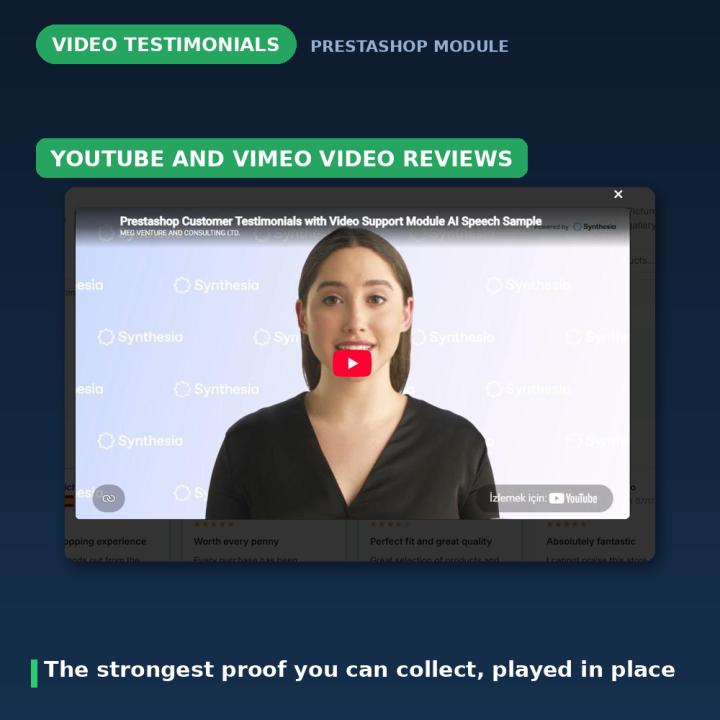
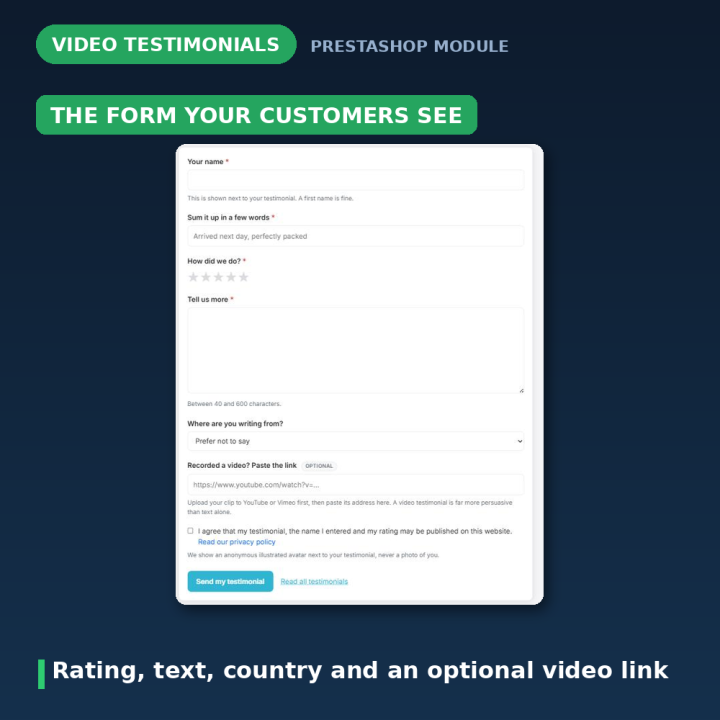
A testimonial can be text, or it can be a YouTube or Vimeo video the customer links. Video reviews are the strongest social proof there is, and they cost you nothing to collect. Links are validated the moment they are submitted, so an address that is not a recognised YouTube or Vimeo video is rejected at the form rather than rendering an empty player weeks later.
Verified buyers, and who is allowed to write
Decide who may submit: anyone visiting the shop, customers with an account, or only customers who have completed an order. Testimonials from someone with a paid order carry a verified-buyer badge, which is the difference between a nice quote and a credible one. New shops get a sensible message instead of an empty form: testimonials are written by customers who have completed an order — once your first order is paid, come back and tell us how it went.
Ask for reviews automatically
Invitation emails can be triggered by an order status you pick — the one that means the goods have actually arrived. The customer gets an email inviting them to write a testimonial while the experience is fresh, without you remembering to ask.
Moderation that takes one click
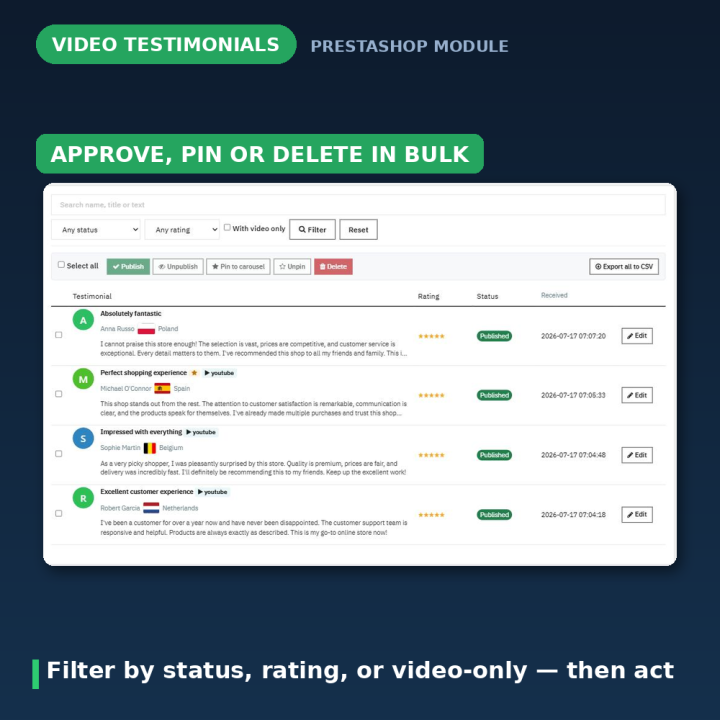
New submissions wait for your approval, and you are notified by email when one lands. Approve, edit or delete from the Testimonials tab, in bulk if you like. Turn auto-publish on and submissions go straight to the storefront — the settings page says so plainly, so nobody enables it by accident.
Spam protection that does not eat real reviews
Google reCAPTCHA support with a score threshold you set. If the check does not pass, the customer is told honestly — our spam filter was not convinced a person wrote this; if that is wrong, please contact us and we will add your testimonial by hand — rather than being thanked while the testimonial is silently discarded. There is also a daily submission limit. The status panel warns you when reCAPTCHA keys are missing rather than leaving the form open to bots.
Avatars drawn on your server
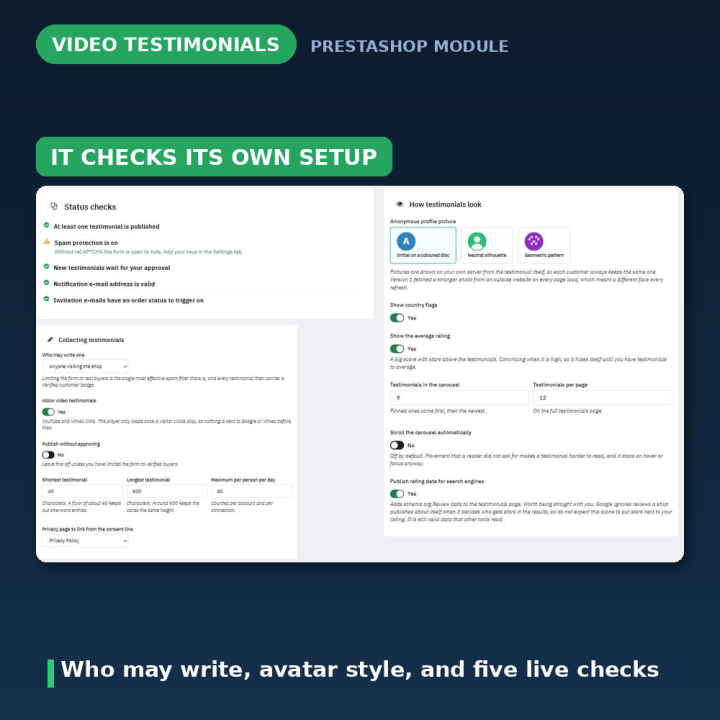
Every testimonial gets a stable avatar generated as an inline SVG on your own server, seeded from the testimonial itself — an initial on a coloured disc, a neutral silhouette, or a geometric pattern, whichever you choose. It never changes between page loads, makes no external request, and shows no photograph of a real person who never endorsed your shop.
It tells you whether it is working
The status panel answers the questions that matter before you go looking: is at least one testimonial published, are new ones waiting for approval, is spam protection on, is the notification address valid, do invitation emails have an order status to trigger on. A brand-new shop shows nothing in the carousel until something is approved — and the panel says exactly that, instead of leaving you to wonder.
What version 2.0 fixed
Version 1.x was, in places, shipped broken. Four templates contained 48 unresolved git conflict markers, so the carousel and testimonials page printed the literal text <<<<<<< HEAD and ran every affected block twice. Avatars were fetched per testimonial, per page load, from randomuser.me — photographs of real people who never endorsed the shop, changing on every refresh, with every visitor disclosed to a third party. reCAPTCHA silently discarded genuine testimonials: a score below the threshold, or an unreachable Google, dropped the submission while still telling the customer it had been received. The consent checkbox could not actually block the form. There was stored XSS through the back-office editor and no CSRF token on either form. Text was double-encoded, so O'Brien published as O'Brien. All of it is fixed, and existing rows are repaired on upgrade.
Compatibility
PrestaShop 1.7, 8 and 9, in eight languages: Dutch, English, French, German, Italian, Polish, Spanish and Turkish. Upgrading from 1.x migrates your testimonials automatically, including repairing the double-encoded text; the old per-testimonial gender field and the random third-party avatars are deliberately not carried over. The "Write a testimonial" link on the My Account page uses the same card treatment as PrestaShop's own tiles, so it does not look out of place on Hummingbird.
Frequently asked questions
Can customers submit video reviews?
Yes — a YouTube or Vimeo link. The address is validated on submission, so an unrecognised link is rejected at the form rather than rendering an empty player later.
Can I limit reviews to people who actually bought something?
Yes. Choose between anyone visiting the shop, customers with an account, or only customers who have completed an order. Those with a paid order get a verified-buyer badge.
Do testimonials go live immediately?
Only if you switch auto-publish on. By default they wait for your approval and you are notified by email when one arrives.
Can I ask customers for a review automatically?
Yes. Pick the order status that means the goods have arrived, and an invitation email goes out when an order reaches it.
Where do the avatars come from?
Your own server. They are inline SVGs seeded from the testimonial — an initial, a silhouette or a geometric pattern — so they never change and nothing is requested from a third party.
What happens if reCAPTCHA rejects a real customer?
They are told plainly that the filter was not convinced and invited to contact you, so the testimonial can be added by hand. It is never silently thrown away.
Where do the testimonials appear?
In a carousel you can place on the homepage or another hook, and on a dedicated testimonials page with its own pagination.
-
Reference43615
-
EAN138691246243614
-
CompatibilityPrestashop 1.5
Prestashop 1.6
Prestashop 1.7
Prestashop 8
Prestashop 9 -
Available Module TranslationsDutch
English
French
German
Italian
Polish
Spanish
Turkish
Compatibility
PS1.7
PS8
PS9
Translations
 Dutch
Dutch
 English
 French
 German
 Italian
 Polish
 Spanish
 Turkish
Developer
 MEG Venture
4 other products in the same category
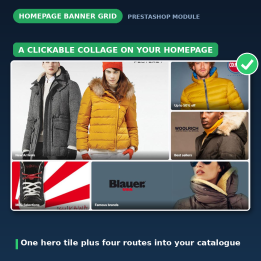
Homepage Banner Grid - Clickable Image Collage with Three Responsive Promo Layouts
€49.99
Rated out of 5 stars based on
review(s)

Careers Pro - Job Posts, Careers Page & Applications with CV Upload and Inbox
€49.99
Rated out of 5 stars based on
review(s)
| Version | 2.0.1 |
|---|---|
| Last updated | 2026-07-28 |
| Changelog | - [2026-07-25] Fix My Account card styling for Write a testimonial link (2.0.1) - [2026-07-24] Add Turkish translations for Megtestimonial module, enhancing user experience with comprehensive text updates across various sections. - [2026-07-23] Refactor code structure for improved readability and maintainability - [2026-07-23] Translate settings and interface strings in Polish and Turkish for the Megtestimonial module, ensuring consistency and clarity in user experience. - [2026-07-23] Populate translation files with complete translatable strings - [2026-07-23] Populate translation files with complete translatable strings - [2026-07-23] Populate translation files with complete translatable strings - [2026-07-23] Populate translation files with complete translatable strings - [2026-07-23] Populate translation files with complete translatable strings - [2026-07-23] Add missing translation files (fr, de, pl, nl, tr, it, es) - [2026-07-22] fix: correct display name in module description - [2026-07-16] Initial commit |
↻ Version history (2)
• [2026-07-16] Initial commit
Comments (1)
Your review appreciation cannot be sent
Report comment
Report sent
Your report cannot be sent