Your homepage has about three seconds to point somewhere
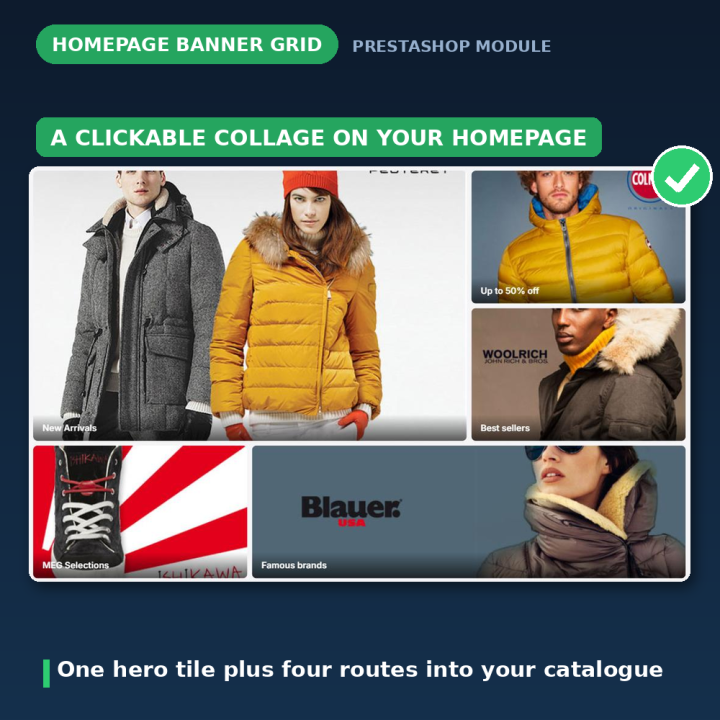
A slider people scroll past and a row of "featured products" is not merchandising. A banner grid is: a handful of images, each one a deliberate route into the part of your catalogue you actually want shoppers in. This module builds that grid, from the back office, without touching a theme file.
Three layouts, ready to fill
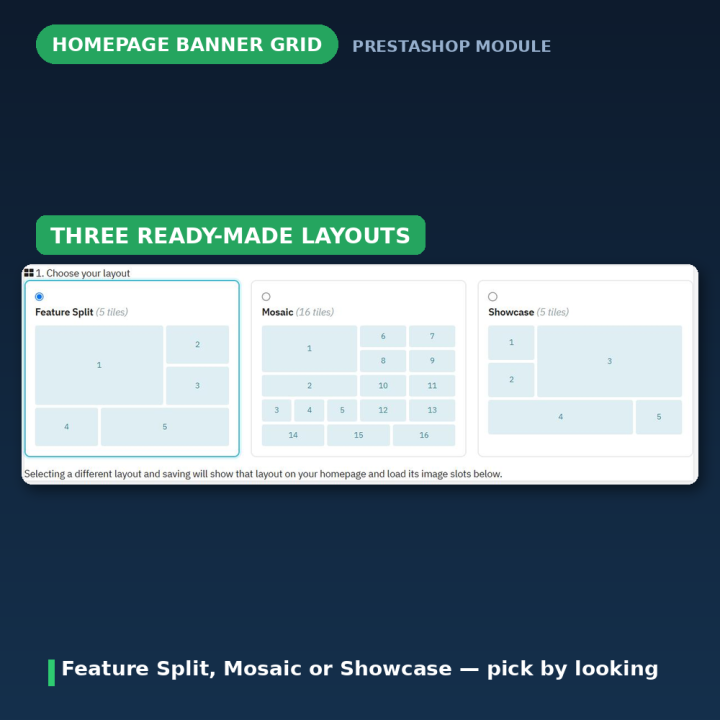
- Feature Split — one large hero tile plus four supporting tiles. Five tiles, for a shop with one headline message and a few secondary routes.
- Mosaic — a rich magazine-style grid of sixteen tiles, for catalogues with a lot of categories worth surfacing.
- Showcase — a balanced editorial layout of five tiles, when nothing should dominate.
Each layout has a live preview on the configuration page, so you pick by looking rather than by guessing.
How it works
- 1. Choose a layout — click one of the three preview cards; the page reloads showing that layout's image slots.
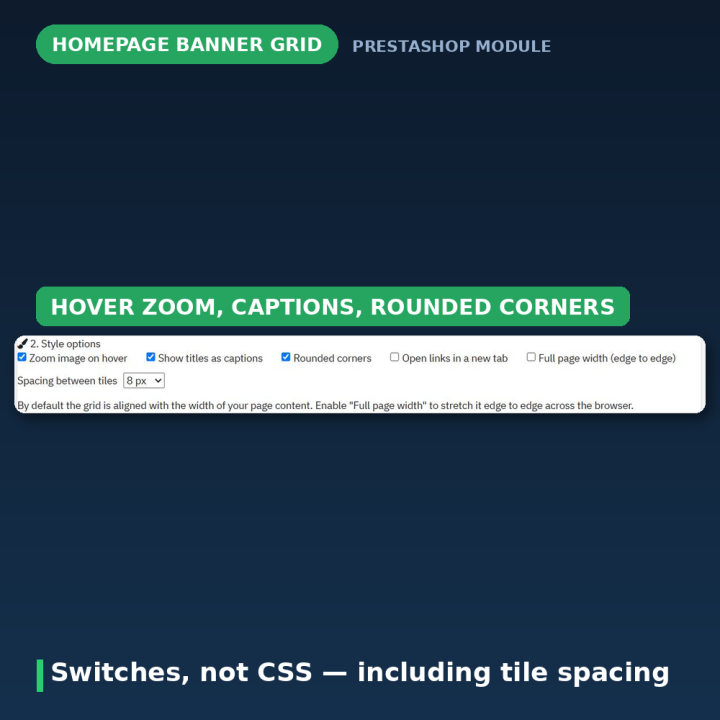
- 2. Set the style options — hover zoom, caption overlays, rounded corners, open-in-new-tab, and the spacing between tiles from 0 to 16 px.
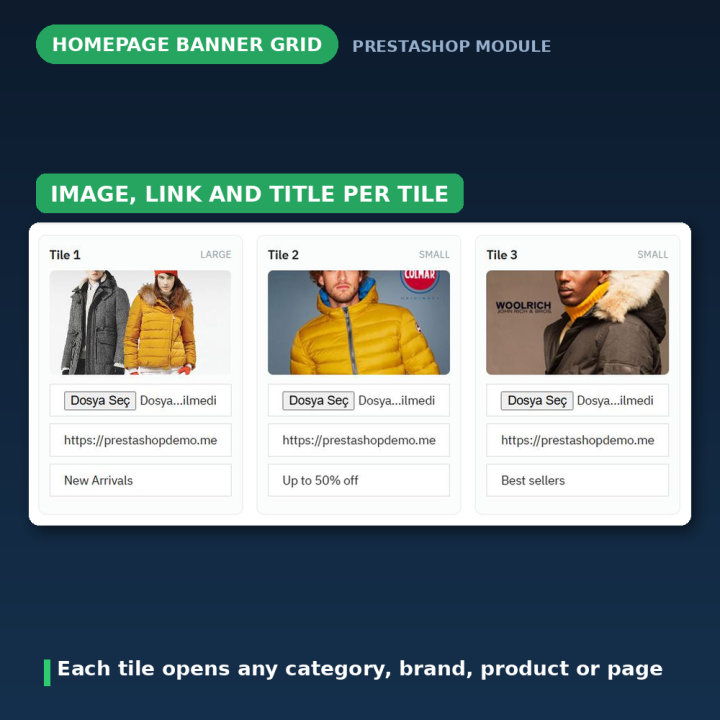
- 3. Fill the tiles — upload an image for each, set the link it opens, and add a title if you want a caption. Save, and it is on your homepage.
Every tile is a real link
A tile can open a category, a brand, a product or any page you like — an internal path such as /3-clothes, or a full https:// address. Links are validated, so only internal paths and http(s) URLs are accepted and anything else is ignored. Titles double as caption overlays and as accessibility labels for the link.
Responsive, from one stylesheet
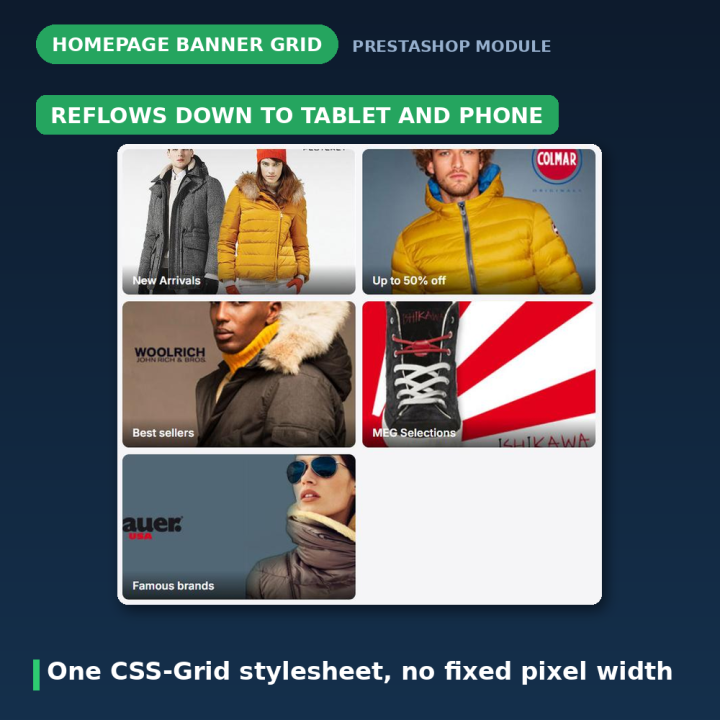
Version 1.x shipped a separate stylesheet for each fixed pixel width — 980, 1000, 1110, 1170 — and a separate template per PrestaShop version. All ten stylesheets and seven templates are gone, replaced by a single CSS-Grid stylesheet and one data-driven template. Every layout reflows from desktop to a two-column tablet grid to a single mobile column on its own. You no longer choose a pixel width for your shop.
It checks its own setup
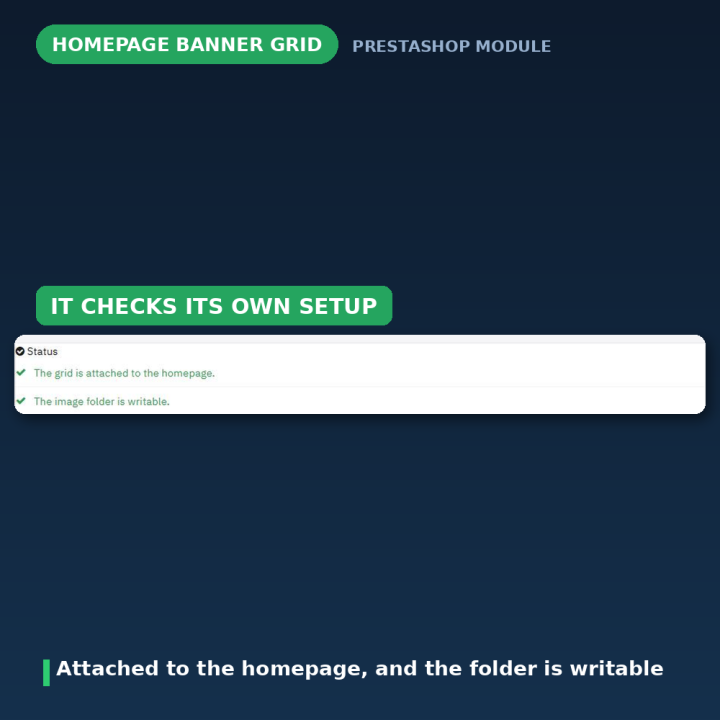
The Status panel at the top of the configuration page tells you whether the grid is actually attached to the homepage and whether the image folder is writable — with a one-click Display on homepage button when it is not. The old "please chmod the folder to 777" and "move the module to the top position" instructions are replaced by real checks.
Safer than the module it replaces
Uploaded images are validated as real images against an extension allow-list and saved under libs/custom/ with distinct names, so a future module update can never overwrite your banners with the bundled samples — a latent bug in the 1.x design. The stylesheet loads through actionFrontControllerSetMedia rather than the legacy displayHeader hook, and the block renders through PrestaShop's widget interface, so you can also place it anywhere with {widget name='blockpicturecollagepro'}.
Compatibility
PrestaShop 1.7, 8 and 9, in eight languages: Dutch, English, French, German, Italian, Polish, Spanish and Turkish. Multistore aware, so you can upload different banners per shop. It attaches to the Home hook on install and never edits or overrides a theme file — uninstalling removes its settings, links, titles and uploaded images and leaves your theme exactly as it was.
Frequently asked questions
What size should my banners be?
Tiles crop to fill, so exact dimensions are not critical. Around 1200×800 px for large tiles and 600×400 px for small ones looks sharp. JPG, PNG, GIF and WEBP are accepted.
Can each tile go somewhere different?
Yes — every tile has its own image, link and optional title, pointing at any category, brand, product or page.
Will it work on mobile?
Yes. One CSS-Grid stylesheet reflows each layout from desktop through a two-column tablet grid to a single mobile column.
Do I have to edit my theme?
No. The module attaches to the Home hook on install. If your theme uses a custom home hook, place it with {widget name='blockpicturecollagepro'} instead.
The grid is not showing on my homepage — what now?
The Status panel tells you whether it is attached and offers a one-click "Display on homepage" button. You can also check the displayHome hook under Design → Positions, and move the grid above your slider.
Can I run different banners on different shops?
Yes, the module is multistore aware — banners are uploaded per shop.
What happens to my banners when the module updates?
Nothing. Uploads are stored under libs/custom/ with distinct names precisely so an update cannot overwrite them with the bundled samples.












Comments (1)
Your review appreciation cannot be sent
Report comment
Report sent
Your report cannot be sent