A popup that converts is a popup that waits
The reason people hate popups is not the popup — it is the timing. Slammed onto the page before anything has loaded, repeated on every visit, and blocking checkout. This module gives you the three controls that turn an interruption into an offer: when it opens, how often it comes back, and where it is allowed to appear.
Any content, in the editor you already use
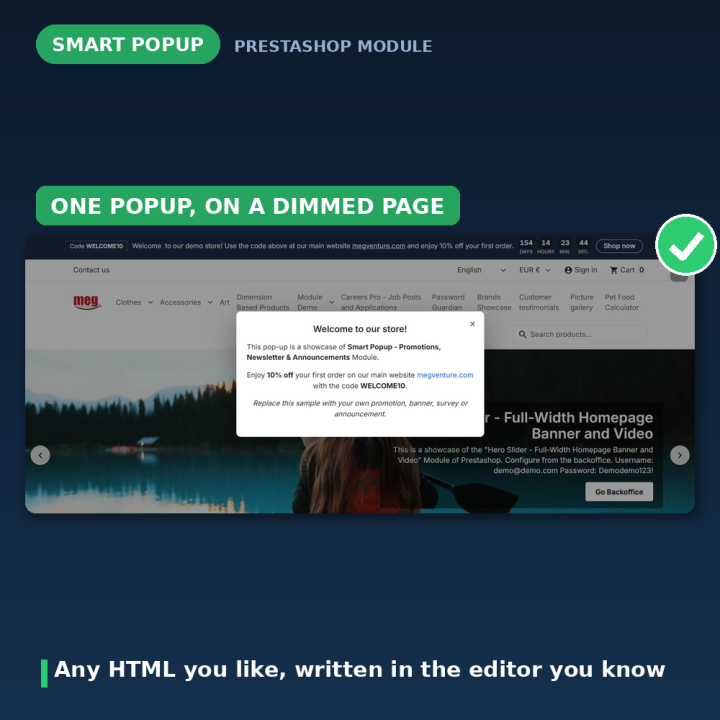
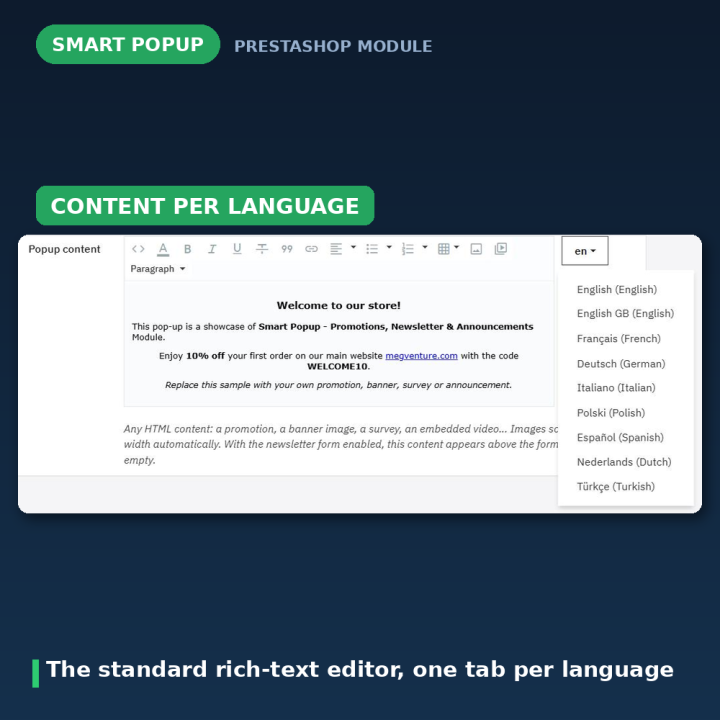
Write the popup with PrestaShop's standard rich-text editor: text, images, embedded video, iframes, a survey embed, whatever the campaign needs. Images scale to the popup width on their own. Content is per language, so each market gets its own wording, and the module installs with a sample popup that is switched off — nothing appears on your storefront until you decide it should.
Newsletter sign-up, done properly
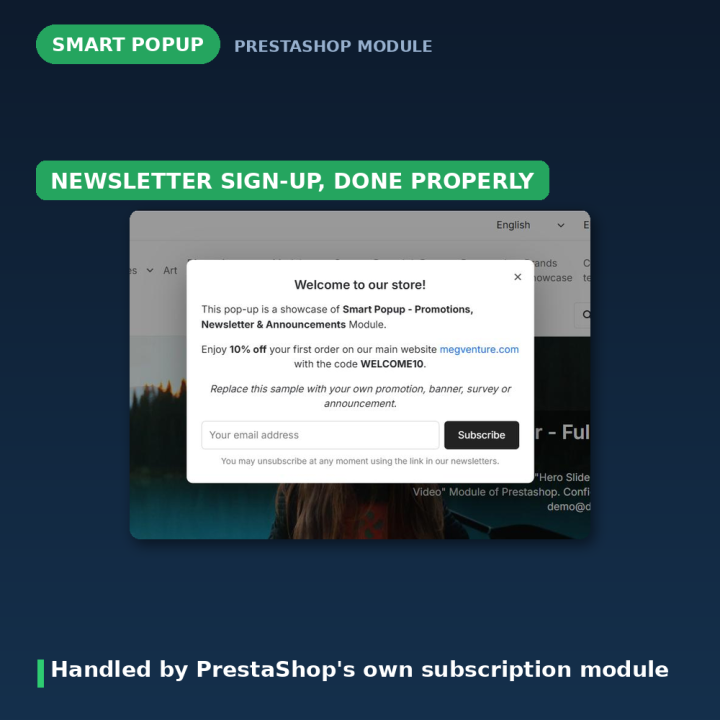
One switch adds an email form to the popup. Subscriptions are handed to PrestaShop's official Newsletter subscription (ps_emailsubscription) module rather than reimplemented — so validation, double opt-in, welcome vouchers and the GDPR consent checkbox all keep working exactly as they do elsewhere in your shop. The visitor sees the confirmation, or the error, inside the popup itself. Subscribers are not asked again.
If Google reCAPTCHA (recaptcha_v3) is protecting your newsletter sign-ups, the popup fetches its own token for its own form — invisible v3, or the v2 checkbox widget — with no extra setup.
Timing, frequency and place
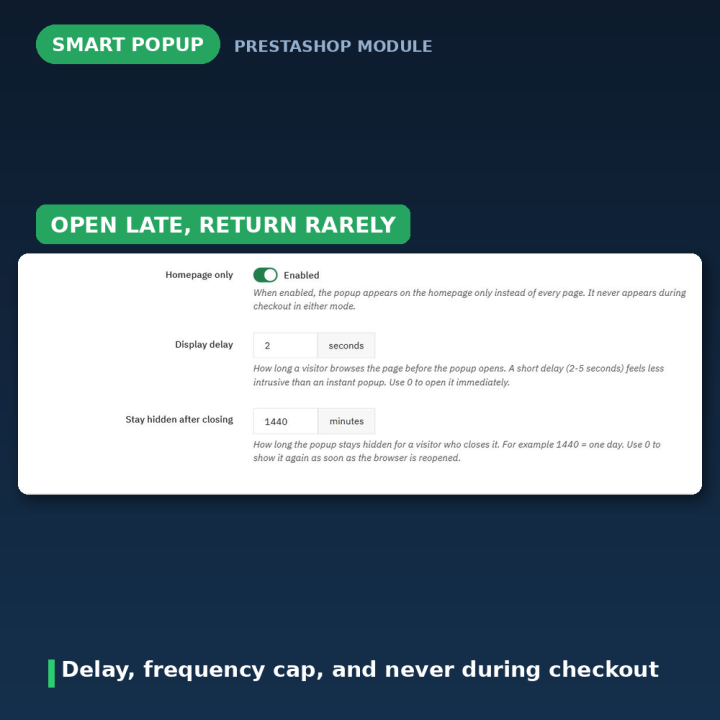
- Display delay — 0 to 300 seconds of browsing before it opens. Small delays convert better than an instant interruption.
- Stay hidden after closing — minutes before a dismissed popup returns;
0 means not until the visitor opens a new browser session.
- Homepage only — run it on the homepage instead of every page.
- Never during checkout — the checkout and order-confirmation pages are always excluded, so a popup can never cost you an order.
Campaigns with a start and an end
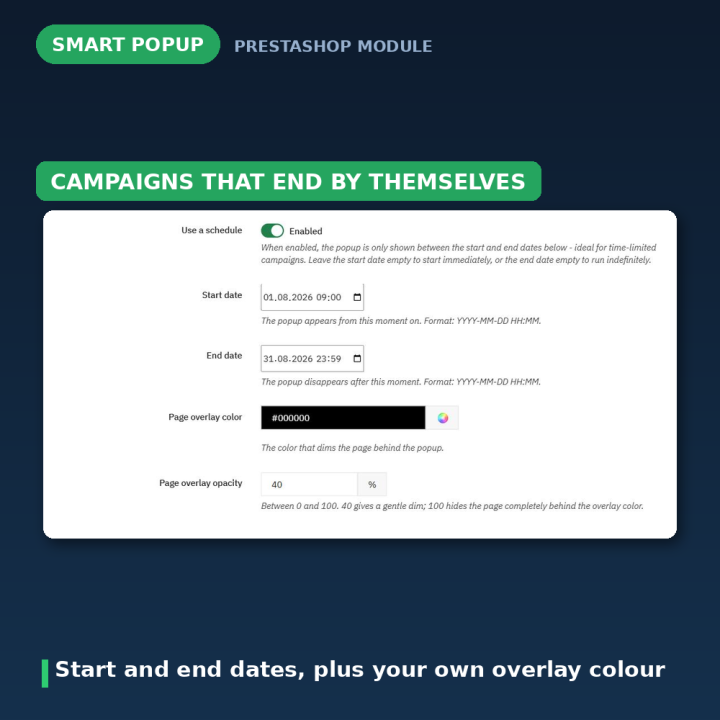
Turn on scheduling and give the popup a start and end date in YYYY-MM-DD HH:MM, picked with the browser's own date picker. Leave the start empty to begin immediately, or the end empty to run indefinitely. A Black Friday popup that stops on its own is one less thing to remember on the Monday.
It tells you why nothing is showing
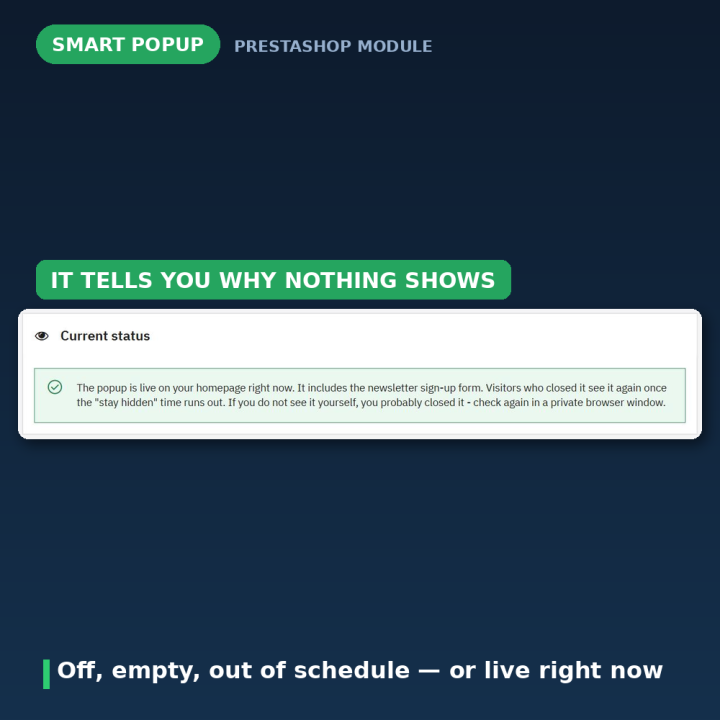
The Current status panel at the top of the configuration page answers the only question that matters when a popup is not appearing: is it switched off, is the content empty, is it outside its schedule, is the newsletter module missing, or is it live? That is faster than clearing cookies and guessing — though remember you will not see your own popup once you have closed it, so test in a private window.
Yours to style
The page behind the popup is dimmed with the colour and opacity you choose. Visitors can close it with the button, a click outside it, or the Escape key. It is one small CSS file and one small vanilla JavaScript file, loaded only when the popup is actually shown — no jQuery and no external libraries.
What version 2.0 fixed
Version 1.x had a long list of real defects, all resolved. The markup was injected into the page <head> through the display-header hook — invalid HTML — and the module registered both header and displayHeader, so it could render twice. The templates loaded jQuery 1.11 and jQuery UI from paths that no longer exist in PrestaShop 1.7, producing 404s on every page on top of the theme's own jQuery. The dismissal cookie was named show_cookie_message, which clashed with cookie-consent modules. Overlay opacity was appended to the hex colour as if it were an alpha channel, so "40" produced 25% instead of 40%. The schedule compared a DateTime against a string, so on PHP 8 the end date never actually stopped the popup. Newsletter mode showed a hardcoded English form that only worked if the theme's footer happened to contain a newsletter block. Content could not be cleared once saved. And the demo popup appeared on the storefront the moment you installed the module.
Compatibility
PrestaShop 1.7, 8 and 9, in eight languages: Dutch, English, French, German, Italian, Polish, Spanish and Turkish. Multistore aware — one popup per shop, with content per language. Upgrading from 1.x keeps your content, colours and settings, converts the schedule from the ambiguous m/d/Y format to ISO, and switches off any popup still showing the untouched 1.x demo content so your storefront stops advertising the module.
Frequently asked questions
Will it annoy my customers?
That is what the delay and the frequency cap are for. It opens after a few seconds rather than on arrival, stays hidden for as long as you choose once dismissed, and never appears during checkout.
Can I put a video or an embed in it?
Yes — it accepts any HTML. Use the editor's source-code view when pasting an embed, since the rich-text editor may otherwise rewrite it.
How does the newsletter form work?
It hands the subscription to PrestaShop's own ps_emailsubscription module, so double opt-in, welcome vouchers and GDPR consent behave exactly as they do in your footer form. That module must be installed and enabled — the status panel warns you if it is not.
Does it work with reCAPTCHA on newsletter sign-ups?
Yes. The popup fetches its own reCAPTCHA token for its own form, v3 invisible or the v2 widget, with no extra configuration.
Can I run it only for a campaign week?
Yes. Turn on scheduling and set a start and end date; either can be left empty for an open-ended campaign.
Nothing appears on my storefront — why?
Check the Current status panel, which names the reason. Also remember you will not see it yourself once you have dismissed it — clear the popup_hidden cookie or use a private window.
It appears behind my theme's menu. The popup uses z-index: 1050; raise it in the module's front stylesheet if your theme stacks something higher.











Comments (2)
Your review appreciation cannot be sent
Report comment
Report sent
Your report cannot be sent