Your shop is the source of truth. The marketplace should follow it.
Selling on Hepsiburada means keeping three things current on every listing: price, available stock and dispatch time. Do it by hand and you are re-exporting a spreadsheet every morning; forget for a day and you are either overselling stock you no longer have or sitting at a price you did not mean to offer. This module makes your PrestaShop catalogue the single source and pushes the changes across.
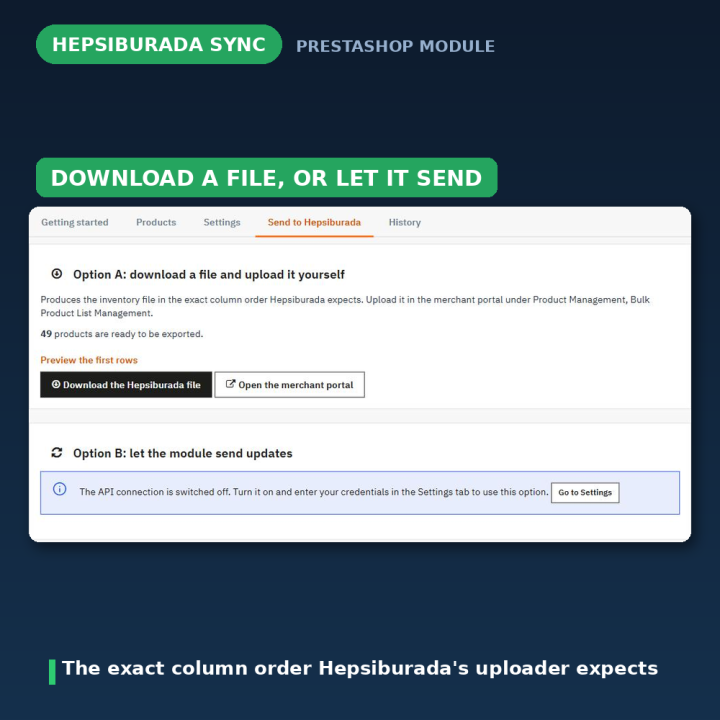
Two ways to deliver, one row builder
- CSV export — download a file with the exact columns, in the exact order, Hepsiburada's bulk uploader expects, and upload it in the merchant portal yourself.
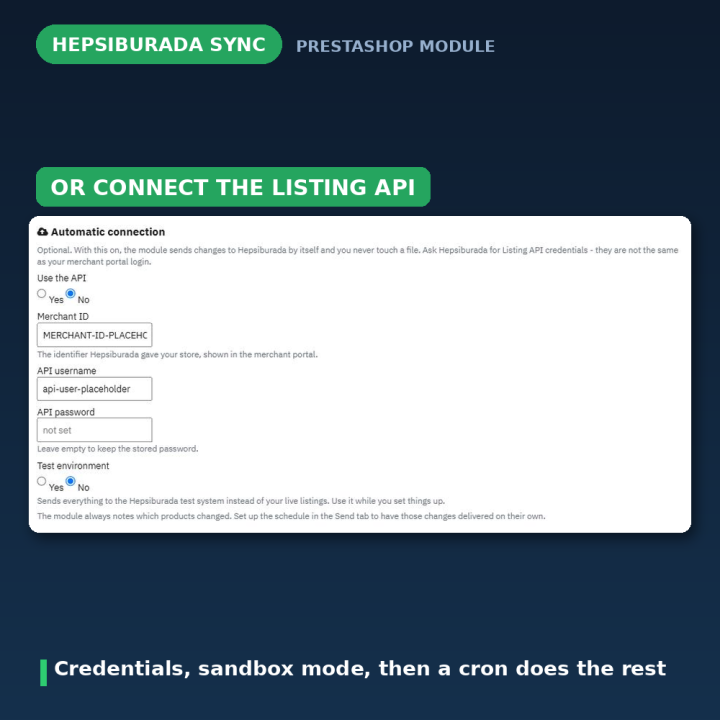
- Listing API — enter your credentials and the module talks to Hepsiburada directly. Point a cron at the supplied address and stock and price changes are delivered on their own.
Both paths run through the same row builder, so the file you download and the payload the API sends always agree. If you ever need to check what the API is doing, download the file.
What it sends — and what it leaves alone
Hepsiburada's catalogue team owns the listing itself, so this module never touches your product names, descriptions, images, categories or attributes. It sends the merchant-owned fields: price excluding tax, available stock, dispatch time, carrier and address labels, maximum purchasable quantity, and the personalisation type and length. Nothing that belongs to their catalogue is overwritten.
Guardrails, because a wrong price is expensive
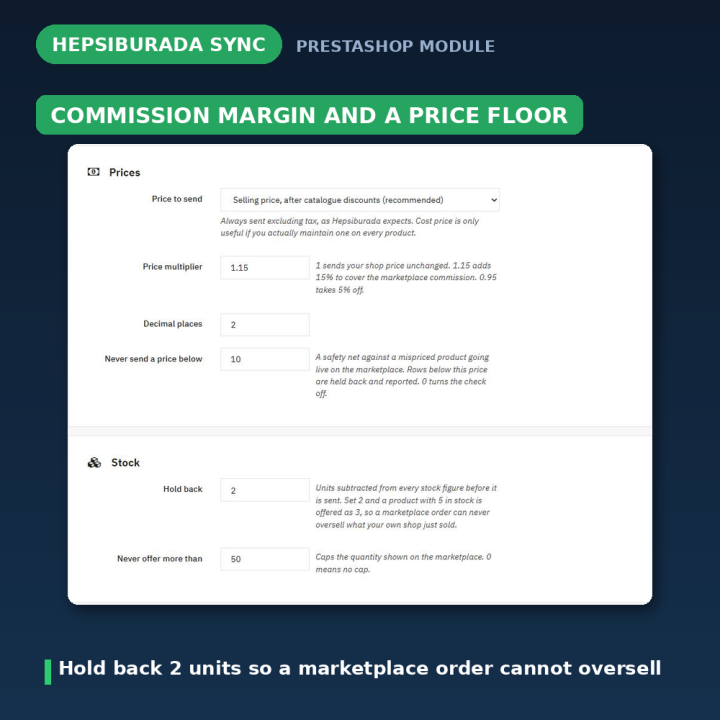
- Hold back stock — subtract a buffer from every quantity before sending. Set it to 2 and a product with 5 in stock is offered as 3, so a marketplace order cannot oversell what your shop just sold.
- Price multiplier — send the shop price unchanged, or add a margin to cover marketplace commission. Values above 10 are rejected as a typo rather than published.
- Never send a price below — a safety floor. Rows under it are held back and reported instead of going live at the wrong number.
- Never offer more than — cap the quantity shown on the marketplace regardless of what is in the warehouse.
Products that are disabled or not available for order are sent with zero stock rather than being dropped, so they stop selling on the marketplace instead of quietly going stale on it.
It tells you what cannot be sent, and why
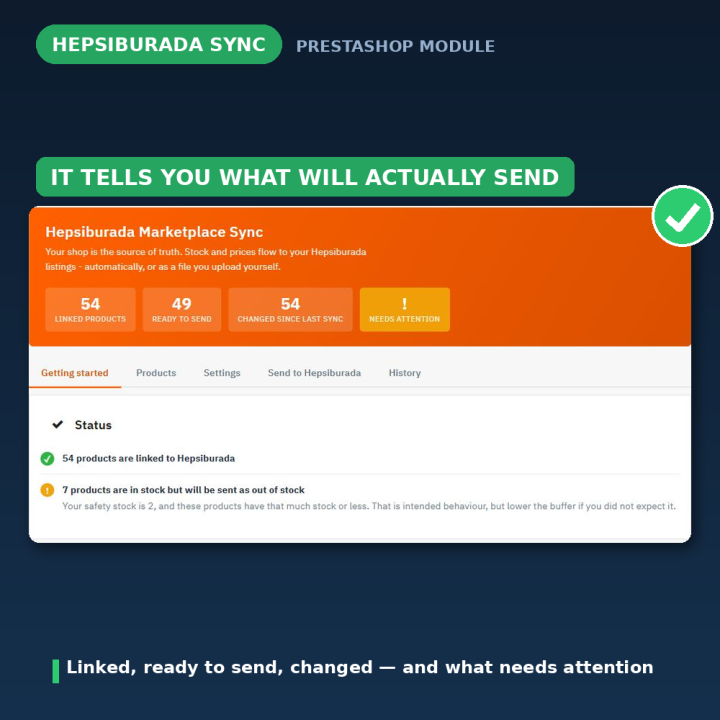
The status panel on the Getting started tab names the affected products instead of leaving you to guess: no SKU and no stock code, a price that works out to zero, a price below your floor, a missing name in the export language. Duplicate SKUs are detected before you send — Hepsiburada rejects an entire batch if one appears twice, so catching it beforehand saves a full re-upload. The carrier field validates against the carriers Hepsiburada publishes and warns on an unrecognised name, which their side otherwise ignores silently.
Scheduled synchronisation that reports honestly
The Send tab shows a tokenised cron address. Point your hosting cron at it — every thirty minutes is typical — and by default it sends only what changed since the last successful run; product saves and stock movements mark listings as changed automatically. Add &mode=full to resend everything after Hepsiburada has rejected or lost a batch. The endpoint answers JSON, so a monitoring tool can tell a real failure from a quiet run, concurrent runs are refused so a slow run cannot pile up, and regenerating the address invalidates the old one immediately if the URL ever leaks.
Linking products, and combinations
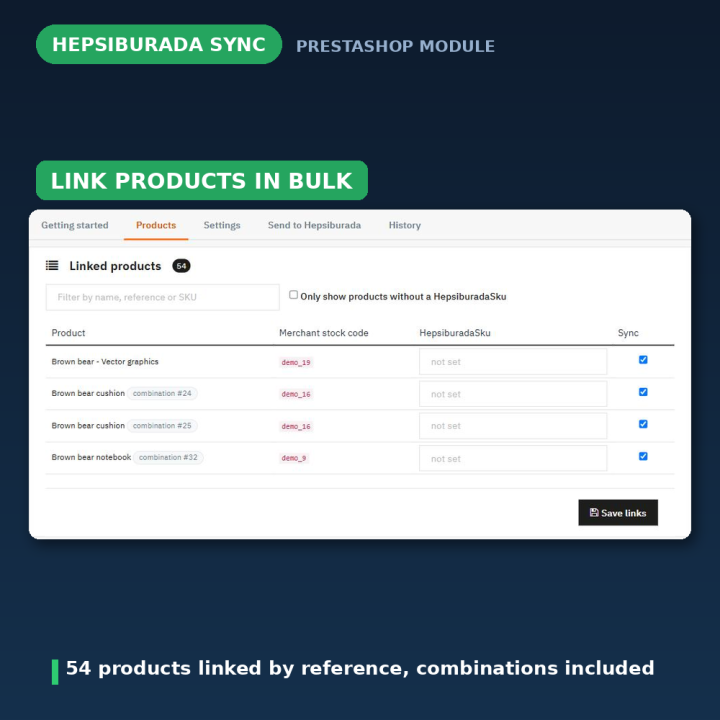
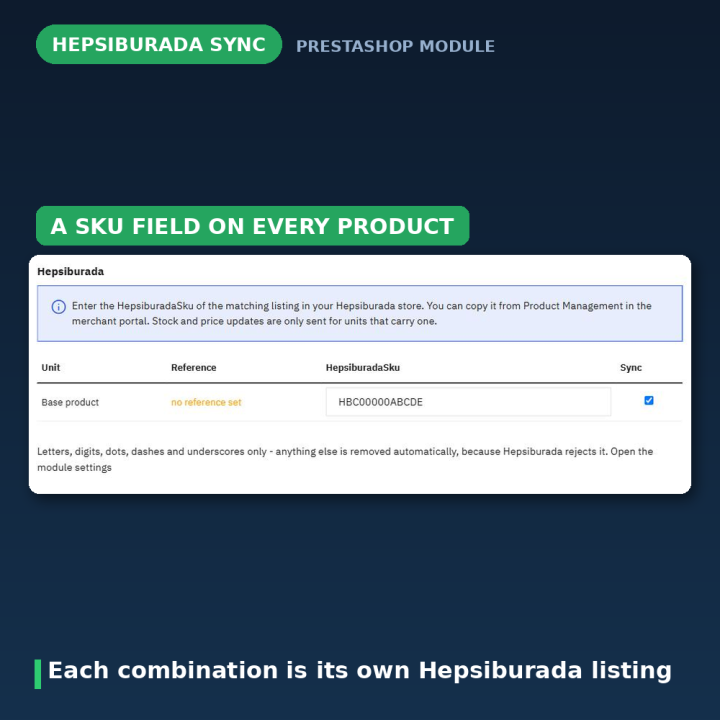
Every Hepsiburada listing has a HepsiburadaSku. Paste it into the Hepsiburada tab on the product page, or use Link products automatically if your PrestaShop references already match your Hepsiburada merchant stock codes. Combinations are fully supported — each one is linked and priced separately, because Hepsiburada treats every variant as its own listing.
What version 2.0 fixed
Version 1.x always priced from wholesale_price, which most shops leave empty, so every exported price was 0,00. Version 2.0 defaults to the selling price, refuses to export a zero price at all, and warns when the cost-price source is selected on a catalogue with no cost prices. Version 1.x also wrote the SKU on every actionProductUpdate, so any other save path — a stock change, the web service, another module — silently blanked it; 2.0 only writes when the product form actually carried the fields. Links are now stored per shop rather than one SKU per product globally, and 1.x stored API credentials but never sent a request anywhere, so the upgrade leaves the API off until you switch it on deliberately.
Compatibility
PrestaShop 1.7, 8 and 9, with no overrides, in eight languages: Dutch, English, French, German, Italian, Polish, Spanish and Turkish. Multistore aware — links are stored per shop, so the same product can carry different Hepsiburada SKUs in different shops, and the configuration page always tells you which shop it is acting on. Uninstalling removes the module's tables and settings; your Hepsiburada listings keep their last received values and simply stop being updated.
Frequently asked questions
Do I need the API, or can I just use a file?
Either. Download the CSV and upload it in the merchant portal, or switch the API on and let a cron deliver changes. Both produce identical data.
Will it change my product titles or images on Hepsiburada?
No. Their catalogue team owns those. The module only sends price, stock, dispatch time, carrier and address labels, maximum quantity and personalisation settings.
How do I stop overselling?
Set a hold-back quantity. Every stock figure is reduced by it before sending, so the marketplace never sees your last few units.
Which credentials does the API need?
Hepsiburada's Listing API credentials, which are not your merchant portal login — request them from Hepsiburada. A 401 means the username or password is wrong, 403 means they are not entitled to the Listing API, and 404 means the merchant ID is wrong. There is a Test connection button that shows their exact message.
Does it handle combinations?
Yes. Each combination is linked and priced separately, because Hepsiburada treats every variant as a listing of its own.
Why did my whole upload get rejected?
Almost always a duplicate SKU — Hepsiburada rejects the entire batch if one appears twice. The status panel finds duplicates before you send.
My 1.x prices all exported as zero. Is that fixed?
Yes. That was 1.x pricing from the cost price field, which most shops leave empty. Version 2.0 uses the selling price by default and refuses to export a zero price at all.













Comments (0)
Your review appreciation cannot be sent
Report comment
Report sent
Your report cannot be sent