Charge for what actually costs you money
An installation service, a pallet deposit, a cash-on-delivery charge, a small-order handling fee, a surcharge for remote delivery areas — real costs that a product price can't carry. Order Surcharge & Extra Fee adds them to the cart as transparent, clearly-labelled fee lines, exactly when your rules say they apply.
How it works
- 1. Create a fee rule — a fixed amount or a percentage, applied per order or per matching product.
- 2. Set the conditions — everything in the cart, or only specific products, categories, brands, customer groups, or delivery zip codes.
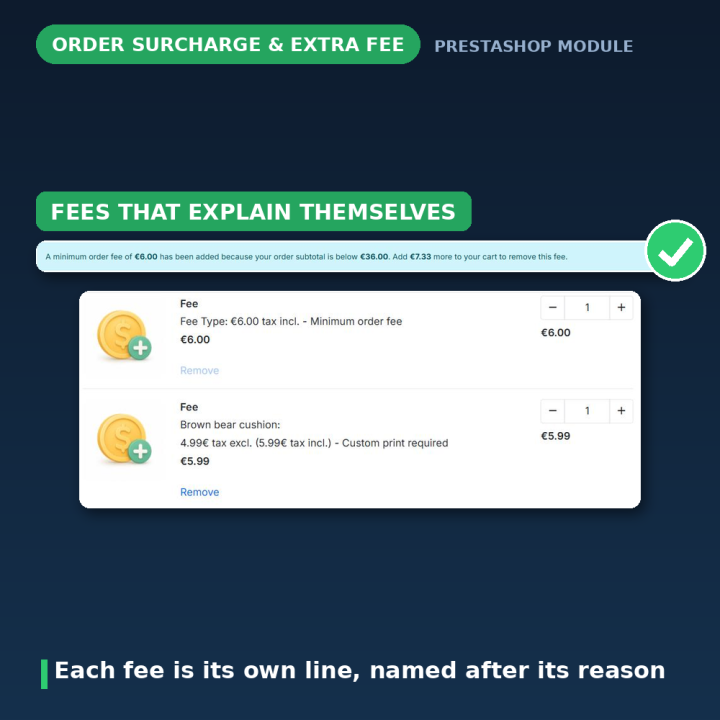
- 3. The fee appears automatically — as its own labelled line, named after the reason it was added, so customers always understand what they are paying for.
Every fee type you will need
- Order fee — a flat or percentage charge on the whole order.
- Minimum-order fee — applies only while the subtotal is below your threshold, and tells the customer exactly how much more to add to remove it.
- Product, category and brand fees — charged per matching product or as one combined line for all matching items.
- Zip code rules — surcharge deliveries to specific postal code areas.
- Customer group targeting — charge or exempt B2B, wholesale or any other group.
- Combination-linked fees — tie a fee to a product attribute so it is selected automatically.
Built for real shops
- Mandatory fees are locked in the cart: the delete control is dimmed and explains "This fee is required and cannot be removed" — no silent re-adding, no confused customers.
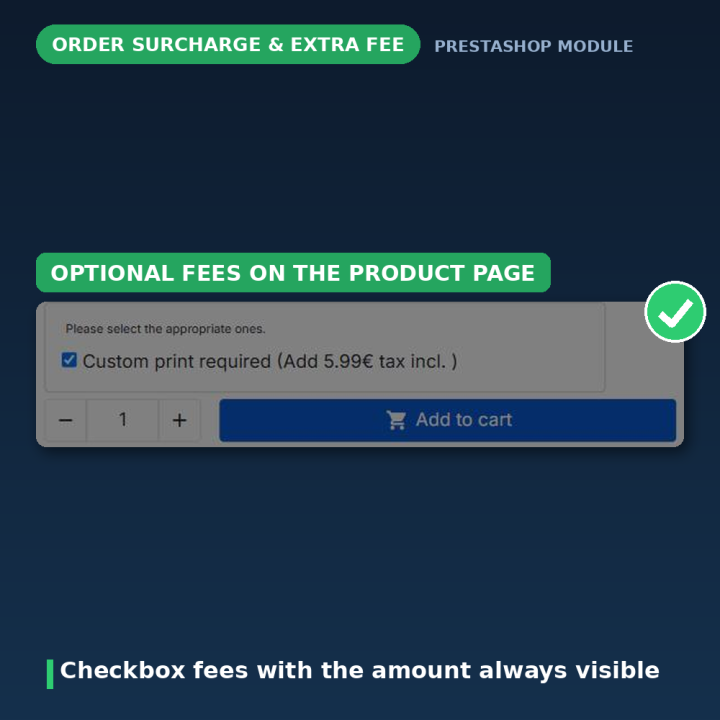
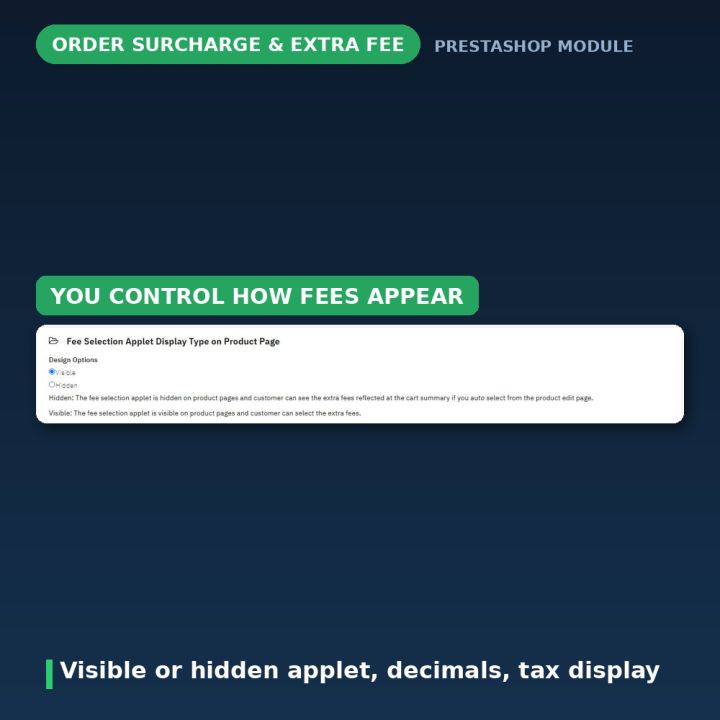
- Optional fees can be offered as unchecked or pre-selected choices on the product page.
- Fee lines are named after their reason ("Order fee", "Minimum order fee", or both combined) instead of a generic label.
- Quantity-based fees with a base quantity — charge only beyond the first N items.
- Percentage or fixed amounts, configurable decimals, correct tax display.
- CSV export and import for mass-managing fee rules across a large catalog (endpoints protected by a per-install security token).
- Multi-currency and multistore aware; works with PrestaShop's native cart, order, email and invoice flow.
Compatibility and maintenance
Works on PrestaShop 1.5, 1.6, 1.7, 8 and 9. Actively maintained (v2.9.x) with a public changelog — including a recent security hardening pass that locked down the CSV endpoints and escaped every template output.
Frequently asked questions
What do merchants use this for?
Installation and assembly services, disposal and recycling charges, cash-on-delivery fees, deposits, insurance, gift wrapping, small-order handling fees, and delivery surcharges for specific postal areas.
Can customers remove the fee from the cart?
Only if you allow it. Optional fees can be removed or deselected; mandatory fees and the minimum-order fee are locked, with a clear message instead of a broken delete button.
How does the minimum-order fee behave?
It is added while the cart subtotal is below your threshold, and the cart tells the customer exactly how much more to add for it to disappear — a proven nudge toward larger orders.
What happens when several fees apply at once?
Each fee appears as its own labelled line, and related charges are combined intelligently — for example "Order fee + Minimum order fee" as one clearly named line.
Percentage or fixed amount?
Both, per rule. Percentages follow the matching products' total; fixed amounts can be charged once or multiplied per matching product — your choice.
How do I manage fees on a large catalog?
Use the built-in CSV export and import to edit all fee rules in a spreadsheet and apply them in one pass.















Comments (1)
Your review appreciation cannot be sent
Report comment
Report sent
Your report cannot be sent